![ASHQ Logo Vert Flat.png]](https://support.afterschoolhq.com/hs-fs/hubfs/ASHQ%20Logo%20Vert%20Flat.png?height=40&name=ASHQ%20Logo%20Vert%20Flat.png)
With this update, you’re in control of whether a coupon applies to:
- ✅ Registration fees
- ✅ Recurring subscription payments
- ✅ Or both
This ensures discounts behave exactly how you expect—both in checkout and in ongoing billing.
How to Create or Edit a Coupon in AfterSchool HQ 🧾
To get started, head to your Accounting settings.
Create a New Coupon
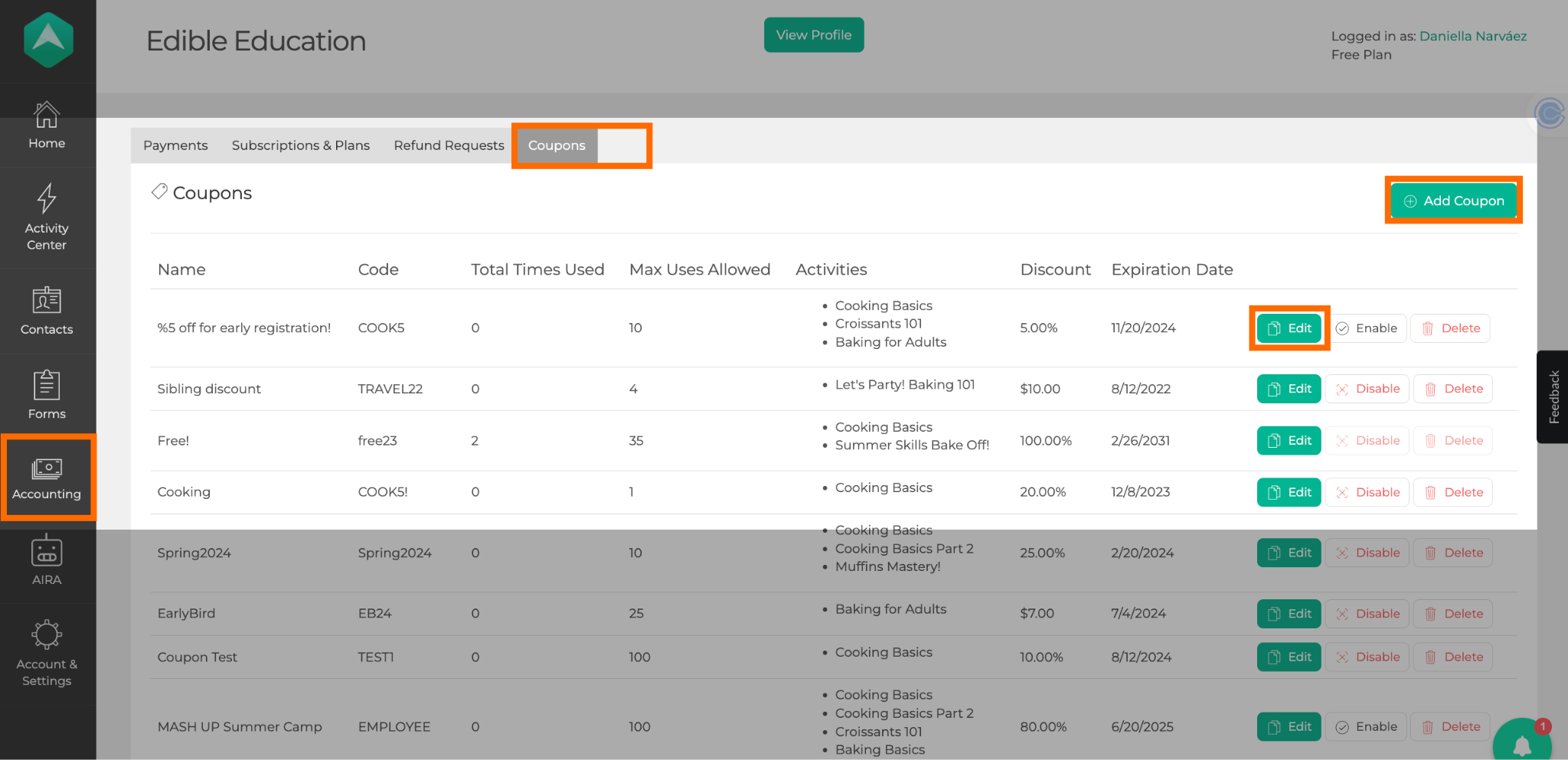
- Click Accounting in the left-hand sidebar
- Select the Coupons tab
- Click the green Add Coupon button in the top-right corner
Edit an Existing Coupon
- Locate the coupon by name
- Click the green Edit button next to the coupon
Apply to Subscriptions Toggle Explained 🔄
On the Add Coupon screen, you’ll see a toggle labeled Apply to Subscriptions. This setting determines whether your coupon can be used with subscription-based activities.
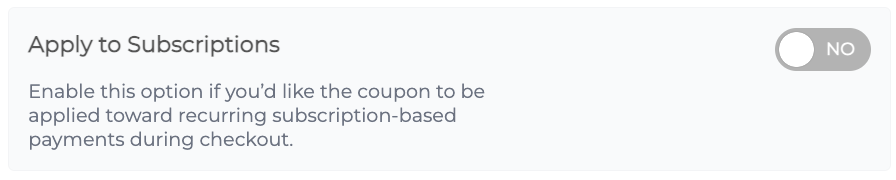
Apply to Subscriptions: OFF (Default) 🚫
When this toggle is OFF, the coupon behaves exactly as it always has.
- You can apply it to activities with registration fees
- No subscription-related options appear
- The discount applies only to the registration fee
- Subscription-only activities are not available for selection
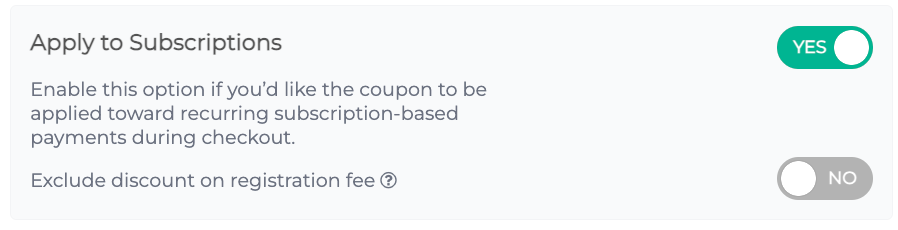
Apply to Subscriptions: ON ✅
When you turn this toggle ON:
- The coupon can be used for subscription-based activities
- An additional option appears to control how registration fees are handled
Exclude Discount on Registration Fee 🧮
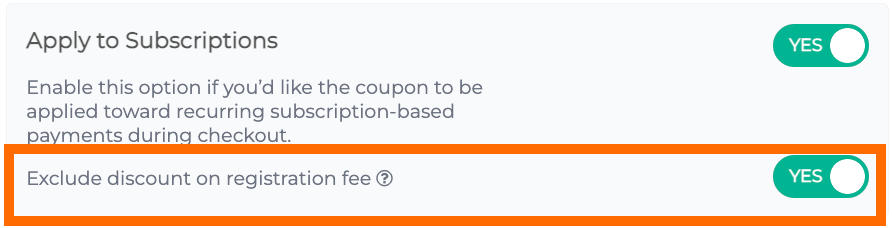
This option appears only when Apply to Subscriptions is ON.
Exclude Discount on Registration Fee: NO (Default)
When set to No, the discount applies to:
- The initial registration fee (if applicable)
- All recurring subscription payments
Exclude Discount on Registration Fee: YES
When set to Yes, the discount applies only to recurring subscription payments.
- For subscription activities, the registration fee remains full price
- For registration-only activities, the registration fee will still be discounted
How to Select Activities for a Coupon 📋
The activities you can select depend on whether Apply to Subscriptions is turned ON or OFF.
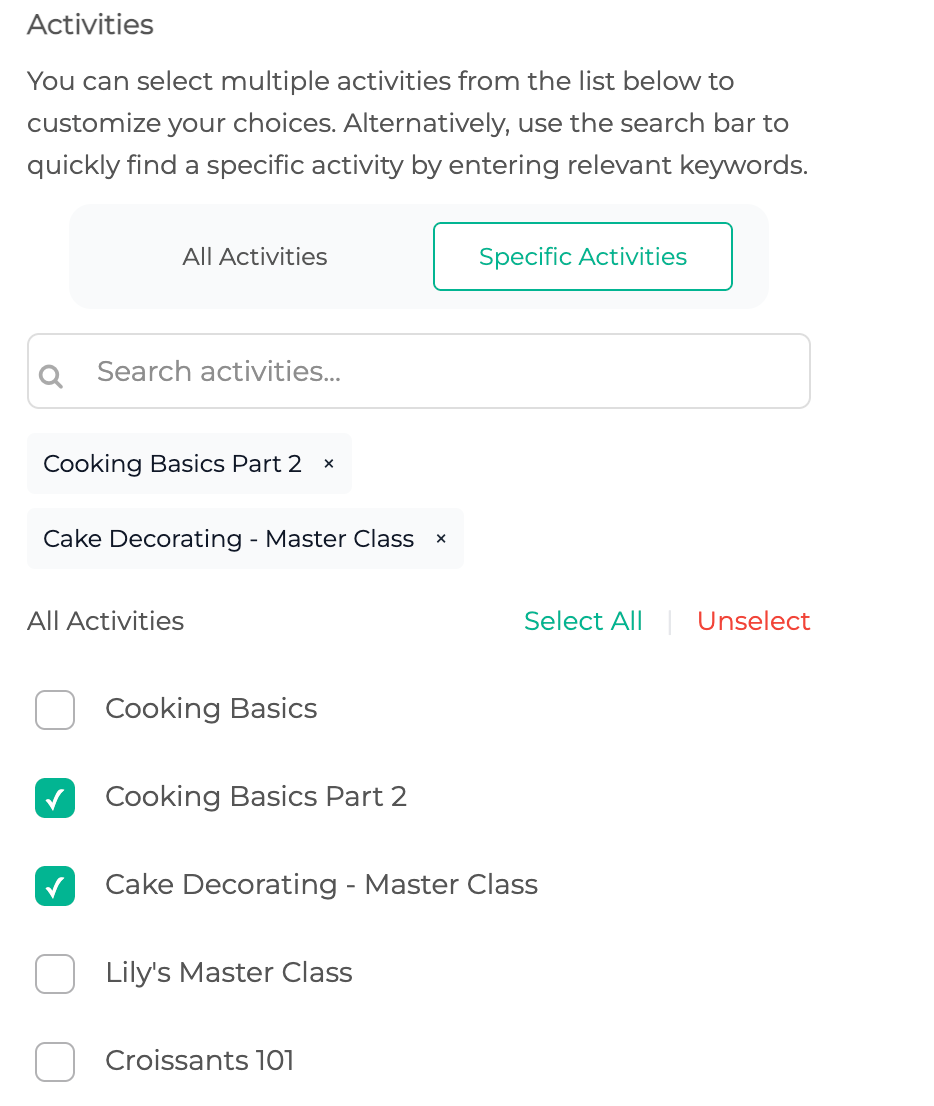
When Apply to Subscriptions is OFF 🚫
You can select:
- Activities with registration fees
- Activities that include both registration fees and subscriptions
In this case:
- The discount applies only to the registration fee
- Subscription-only activities are not available
When Apply to Subscriptions is ON ✅
You can select:
- Activities with registration fees
- Activities with subscriptions
You can also:
- Search for eligible activities
- Select any activity that supports registration fees or subscriptions
🚫 Activities with no registration fee and no subscription (such as Attendance Based Billing activities or payment plans) cannot be selected.
Saving a Coupon ✅
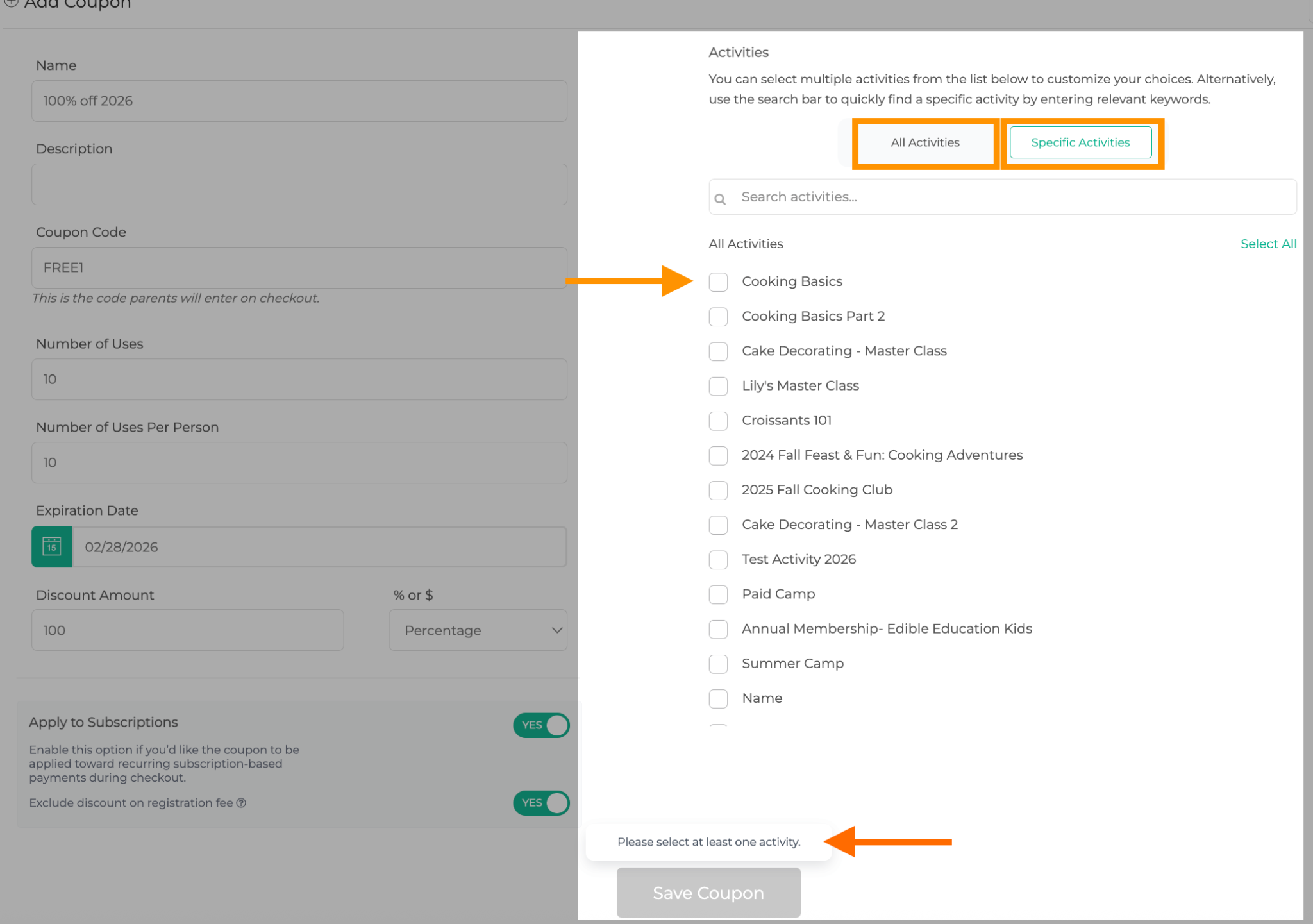
To save a coupon, you must select at least one activity.
- The Save button stays disabled until an activity is selected
- Hovering over the disabled Save button (or tapping it on mobile) shows:
“Please select at least one activity.”
Saving with Apply to Subscriptions OFF
If Apply to Subscriptions is OFF when you save:
- The system automatically:
- Turns Apply discount to registration fee OFF
- Removes any previously selected subscription activities
- Turns Apply discount to registration fee OFF
Turning Off “Apply to Subscriptions” for an Existing Coupon 🔄
If you turn Apply to Subscriptions OFF on a coupon that already includes subscription activities:
- All subscription activities are automatically unselected
- You’ll see a toast message:
“The selected subscription activities will be removed once you save this coupon.”
After saving, the coupon will no longer apply to subscription-based activities.
Coupon Restrictions After First Use 🔒
Once a coupon has been used at least once, certain fields and actions become locked to protect existing payments.
If you want to prevent the coupon from being used again, you can update the Number of Uses to 0, which will stop any future use while preserving existing payments.
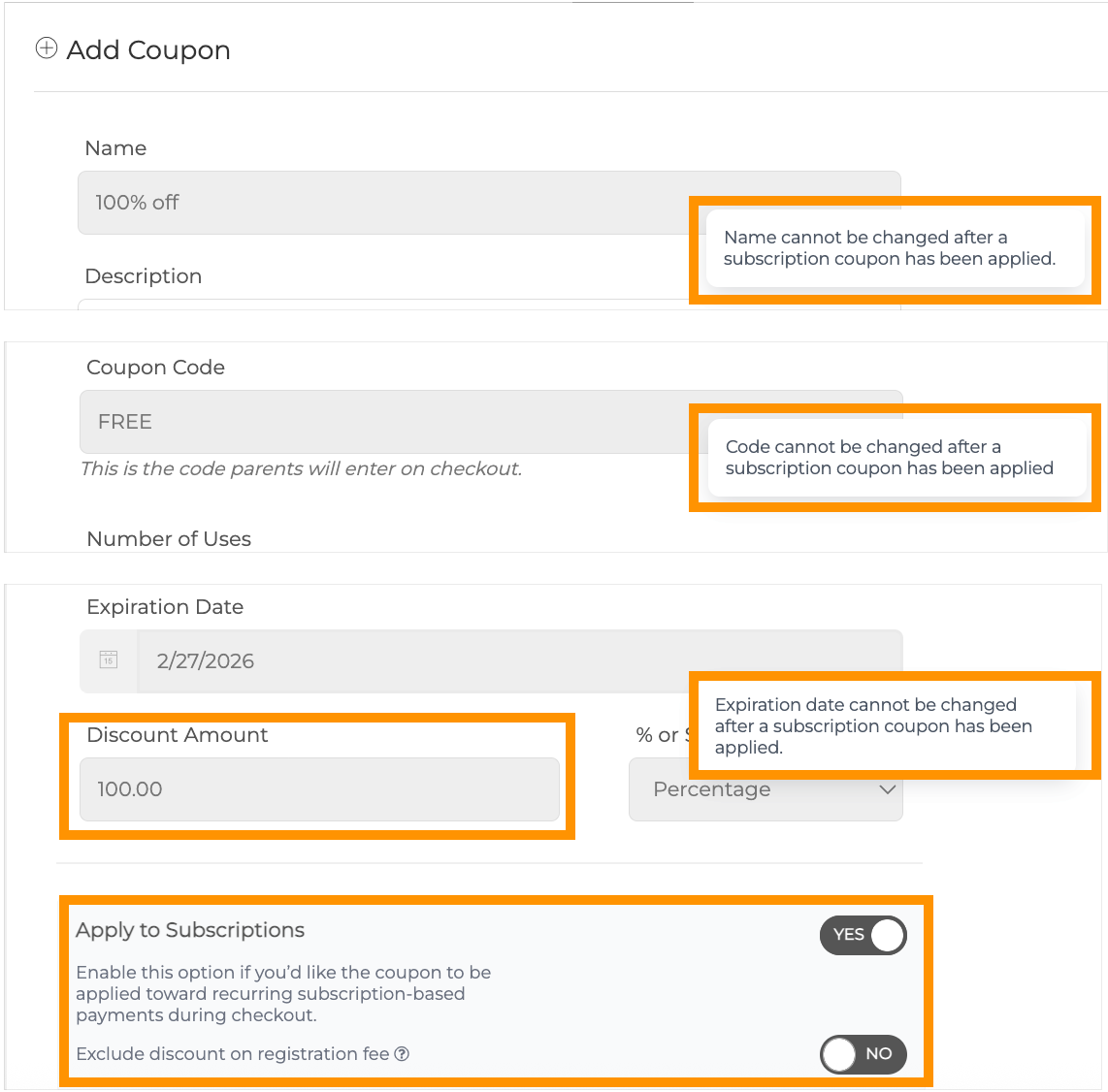
Locked Fields (Add Coupon Screen)
You can no longer edit:
- Coupon name
- Coupon code
- Expiry date
- Discount amount
- Apply to Subscriptions toggle
These fields appear disabled, with tooltips explaining why changes aren’t allowed.
Disabled Actions (Coupon List Screen)
On the coupon list:
- Delete and Disable buttons are grayed out
- The coupon cannot be deleted or disabled
How Coupons Work During Checkout 🛒
General Coupon Validation
When a family enters a coupon, AfterSchool HQ checks that:
- The coupon exists
- It is active
- It is valid and not expired
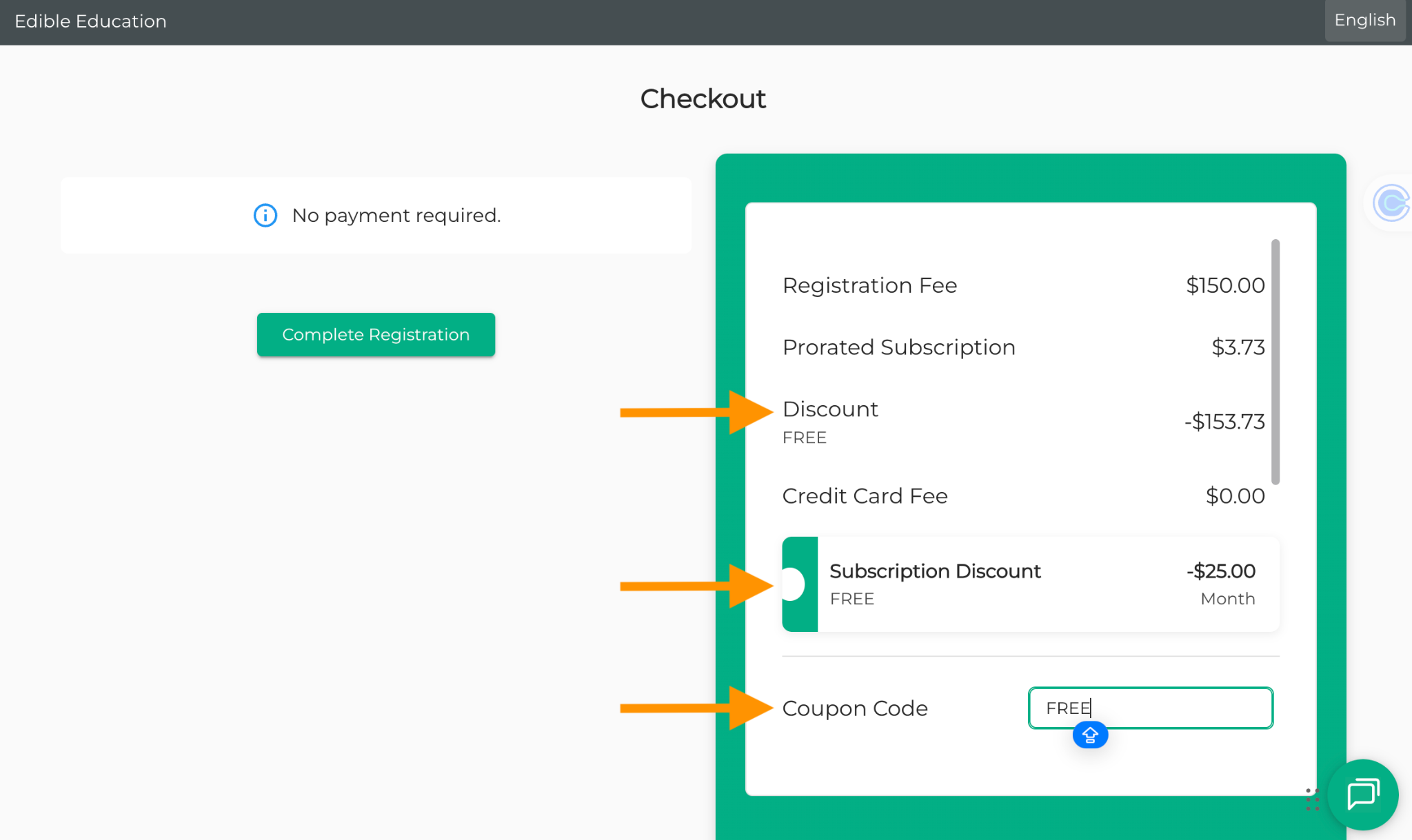
Checkout Behavior: Apply to Subscriptions OFF
The coupon:
- Applies only to:
- Activities with registration fees
- Activities you explicitly selected
- Activities with registration fees
- Does not apply to:
- Subscription-only activities
- Attendance Based Billing activities
- Subscription-only activities
Checkout Behavior: Apply to Subscriptions ON
The coupon:
- Can apply to:
- Activities with registration fees
- Activities with subscriptions
- Activities with registration fees
- Applies only to activities you selected
- Does not apply to:
- Activities with neither registration fees nor subscriptions (such as Attendance Based Billing activities)
- Activities with neither registration fees nor subscriptions (such as Attendance Based Billing activities)
Registration Fee Discount Rules 💡
- If Exclude Discount on Registration Fee is ON → the registration fee stays full price
- If it is OFF → the discount applies to both the registration fee and the subscription (unless the activity is registration-only; in that case, the discount applies to the registration fee only).
Subscription Payments & Stripe Integration 💳
After checkout:
- The coupon is attached to the subscription in Stripe
- All future subscription payments automatically include the discount
Additional notes:
- If a coupon is removed and re-applied during registration, validation runs again
- If a subscription is canceled due to a student withdrawal (not canceled directly in Stripe) and later restarted, the system verifies that the coupon is still valid before applying it.
ACH Payments with Coupons 🏦
If a subscription activity is linked to an active coupon:
- ACH payments remain available at checkout
Accounting & Reporting for Subscription Coupons 📊
In Accounting > Subscriptions & Plans:
- A tooltip appears next to the Payment number
- The tooltip displays the coupon discount applied
- This matches the behavior already available in the Payments tab
Need Help? 🤝
If you have questions about using coupons with subscription-based activities or need assistance, our support team is happy to help.
📧 Contact us at support@afterschoolhq.com