![ASHQ Logo Vert Flat.png]](https://support.afterschoolhq.com/hs-fs/hubfs/ASHQ%20Logo%20Vert%20Flat.png?height=40&name=ASHQ%20Logo%20Vert%20Flat.png)
Excited about a summer program but worried your child won't qualify yet?
AfterSchool HQ now supports Incoming Grade registration, which means you can sign up for activities that start after your school's grade promotion date using your child's next grade, not their current one.
This guide walks you through what to expect during the registration process.
1. Find an activity that starts after your school's grade promotion date.
Browse activities as you normally would. If an activity starts on or after your school's grade promotion date (typically June 1st), you'll notice the grade range now shows two lines: Current and Incoming.
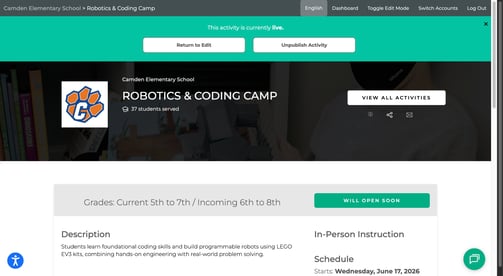
💡 Tip: The "Current/Incoming" label is your signal that this activity supports incoming grade registration. Programs starting before the promotion date will show the grade range as usual.
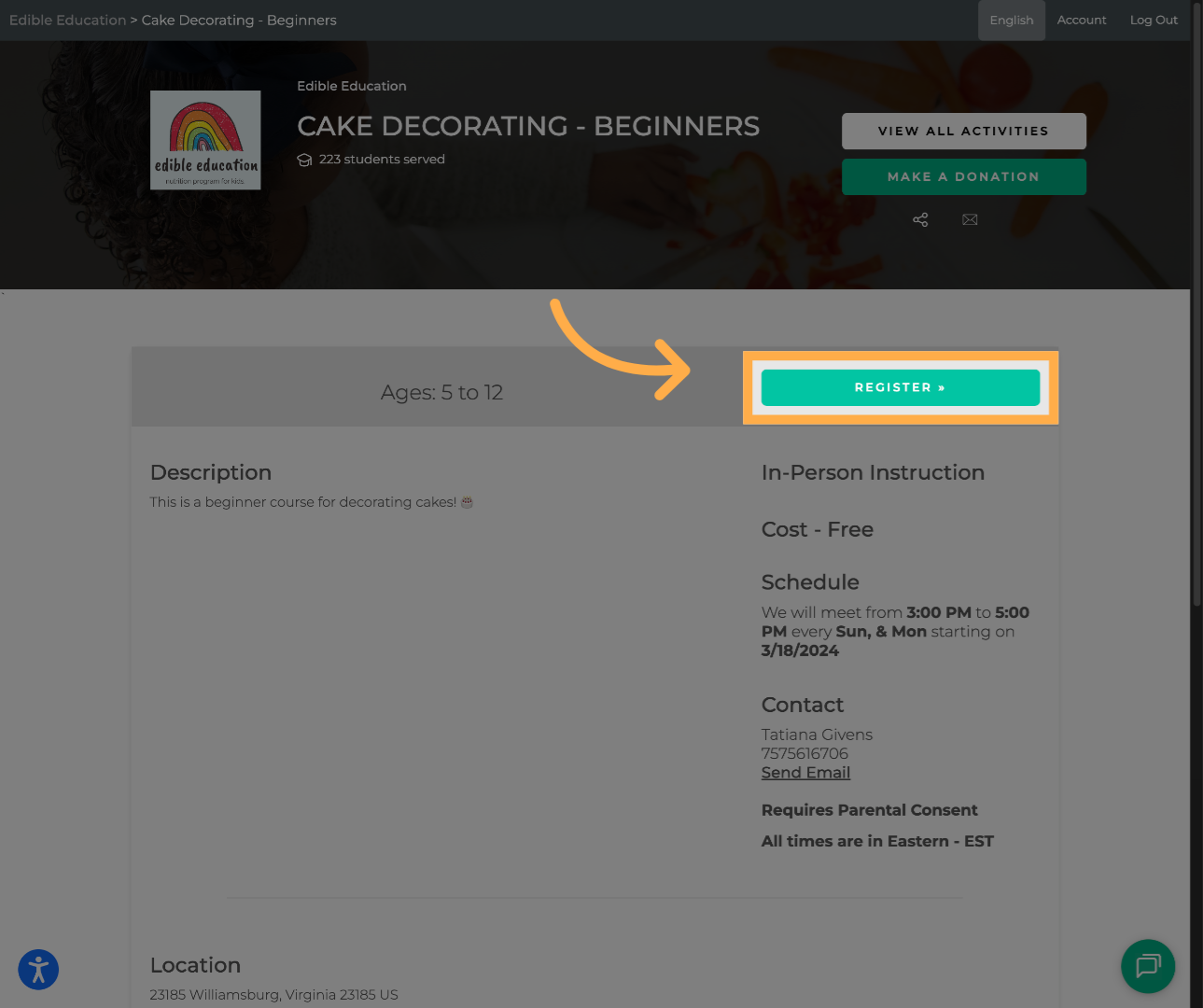
2. Click "Register" and select your child.
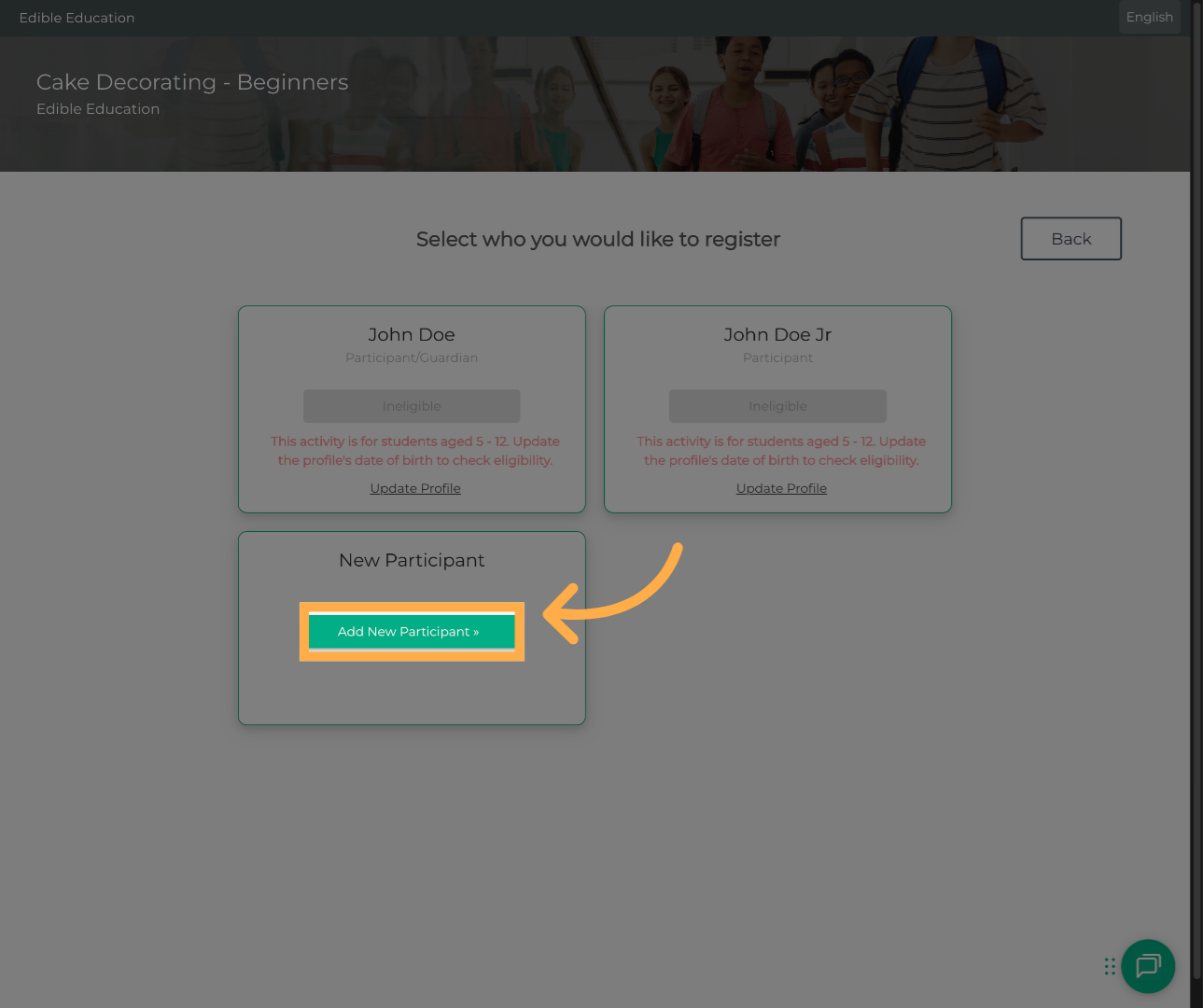
Start registration as you normally would and choose the participant you'd like to enroll.
The grade check happens on the next screen.
3. Review the grade eligibility message.
On the Participant Information step, the system will automatically check whether your child qualifies based on their incoming grade. One of two messages will appear:
- ✅ Eligible: Your child qualifies based on their incoming grade. You'll see a blue info message confirming this. You can continue with registration.
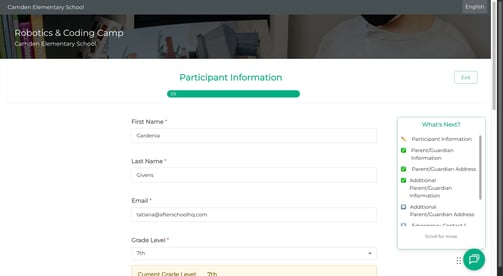
💡Tip: The info message is for your awareness only — it does not block registration. If you see the green/blue message, simply continue filling out the form.
- ⛔ Not eligible: Your child's incoming grade falls outside the activity's grade range. A warning message will appear and registration cannot be completed for this activity.
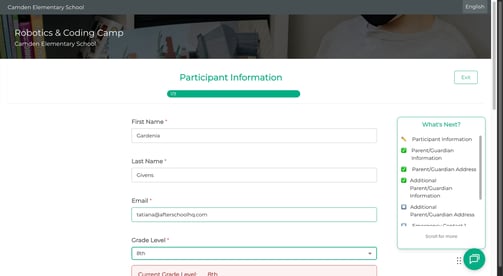
4. Check the box if your child is repeating a grade or is a new student. (If applicable)
If your child won't actually be promoted — for example, they're repeating a grade or just enrolled mid-year — check the box that appears below the message: "My student will still be in [current grade] after June 1st (new student or repeating grade)." This tells the system to use their current grade instead.
💡 Tip: Only check this box if it truly applies. Checking it when your child is being promoted may affect their eligibility for activities designed for their incoming grade.
5. Complete registration as usual.
Continue through the remaining steps filling out participant information, emergency contacts, and any other required fields — and submit your registration.
Frequently Asked Questions