![ASHQ Logo Vert Flat.png]](https://support.afterschoolhq.com/hs-fs/hubfs/ASHQ%20Logo%20Vert%20Flat.png?height=40&name=ASHQ%20Logo%20Vert%20Flat.png)
Need to collect information in person? Quickly generate and print your forms and surveys for paper use with just a few clicks.
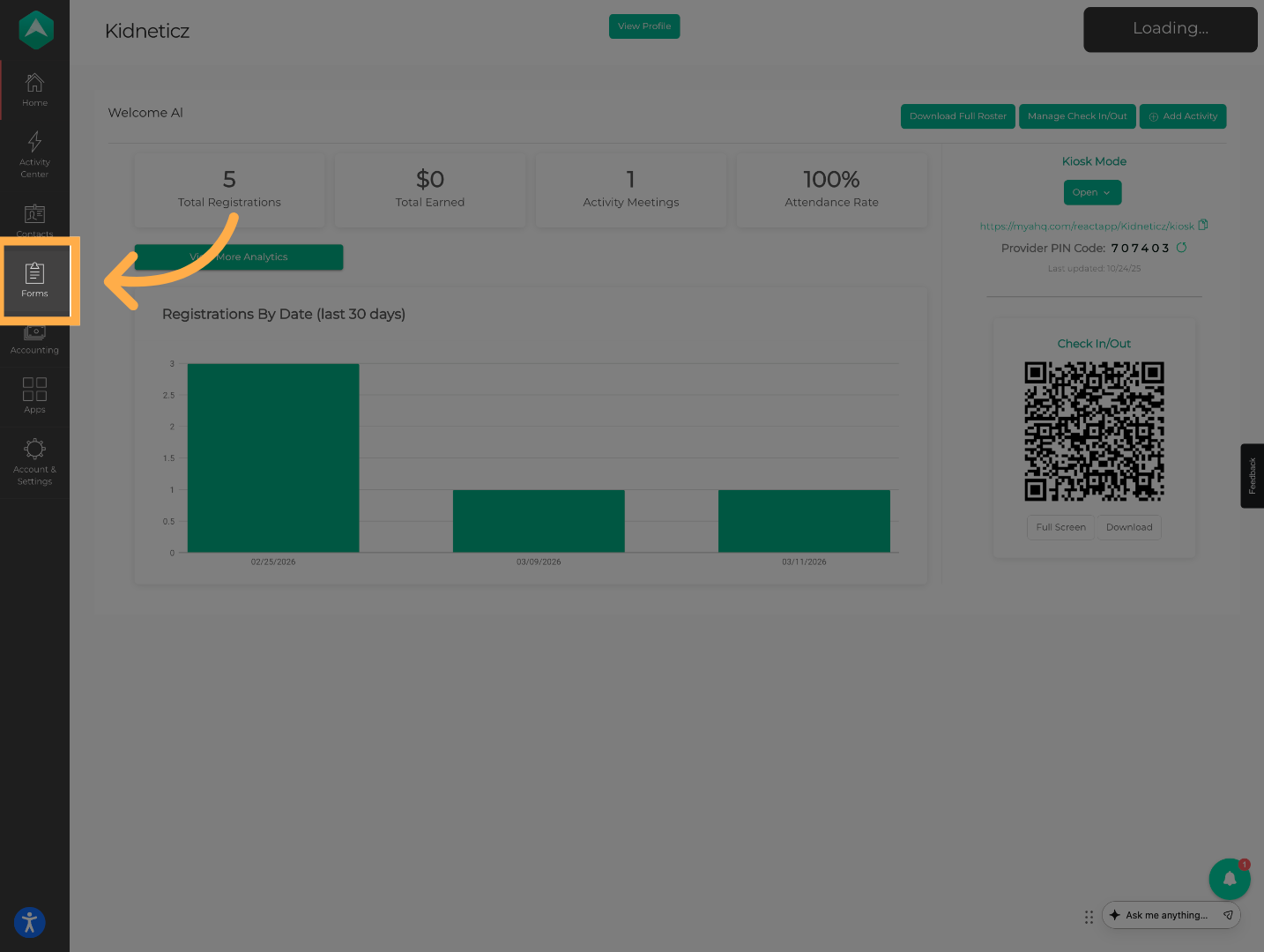
1. Access Forms
Click “Forms” to open the forms management section.
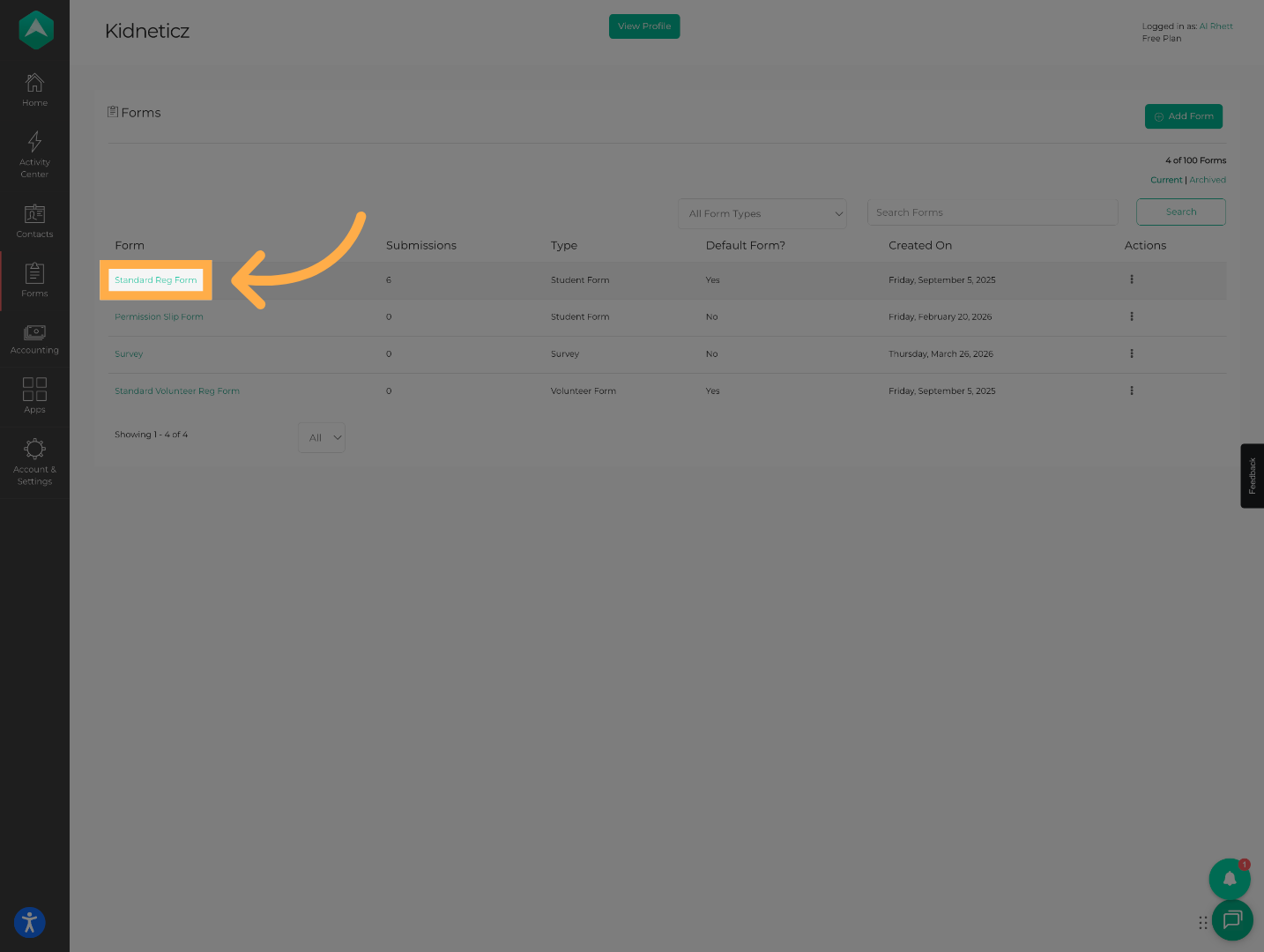
2. Select Your Form
Click on the form you’d like to print for in-person use.
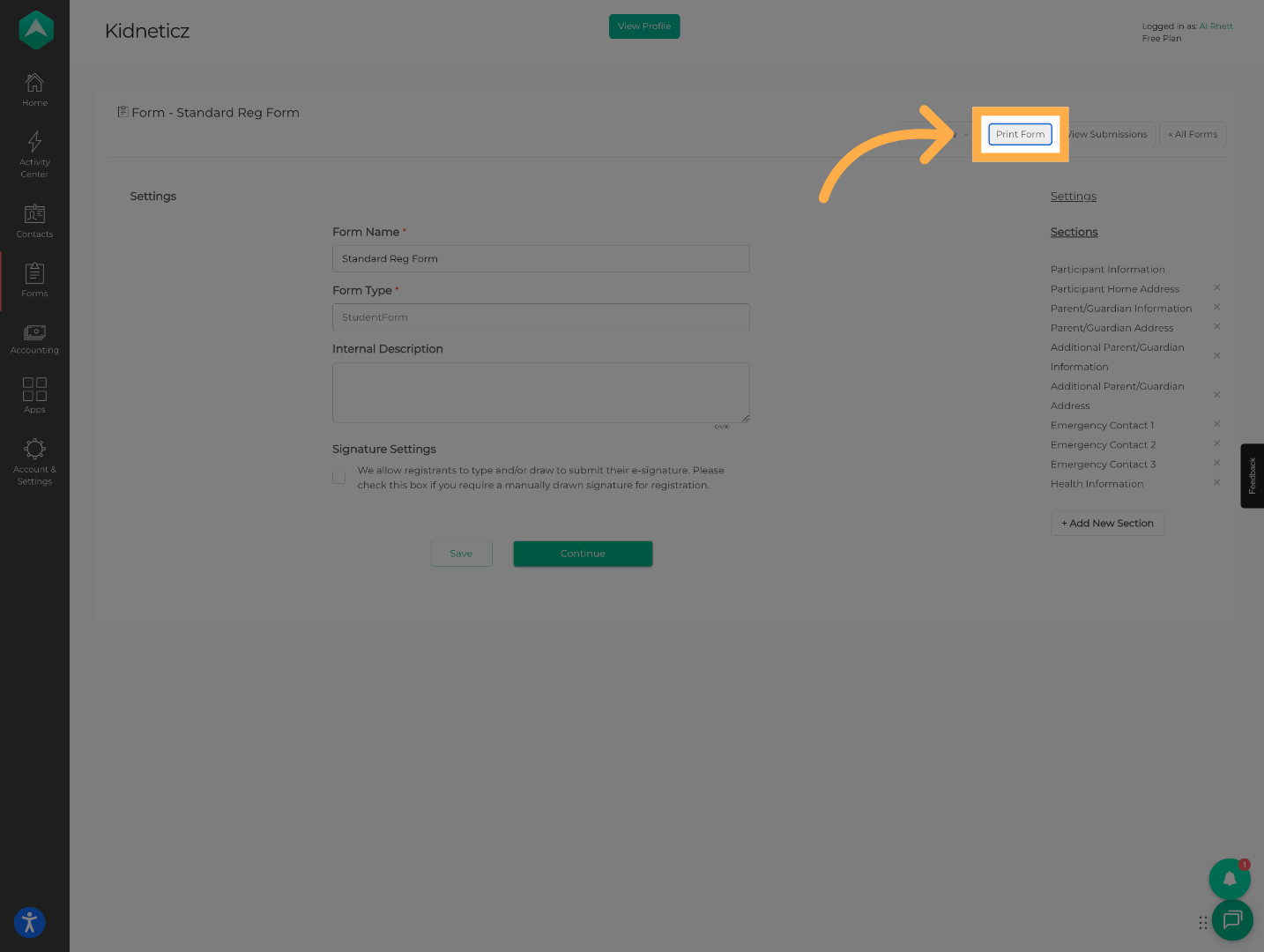
3. Print Form
Click “Print Form” to generate a printable version of the form.
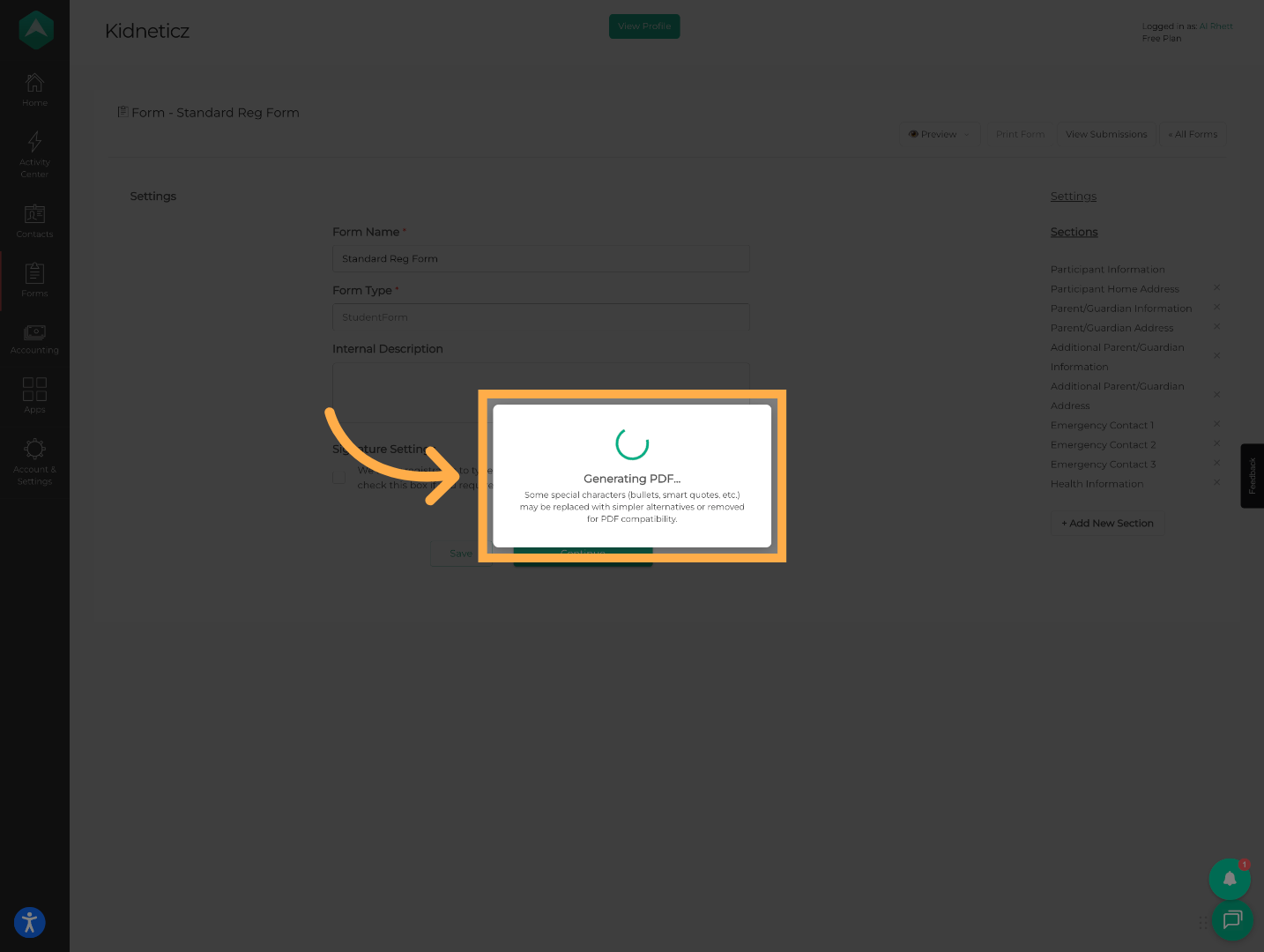
4. Generate PDF
A pop-up will appear letting you know your PDF is being generated.
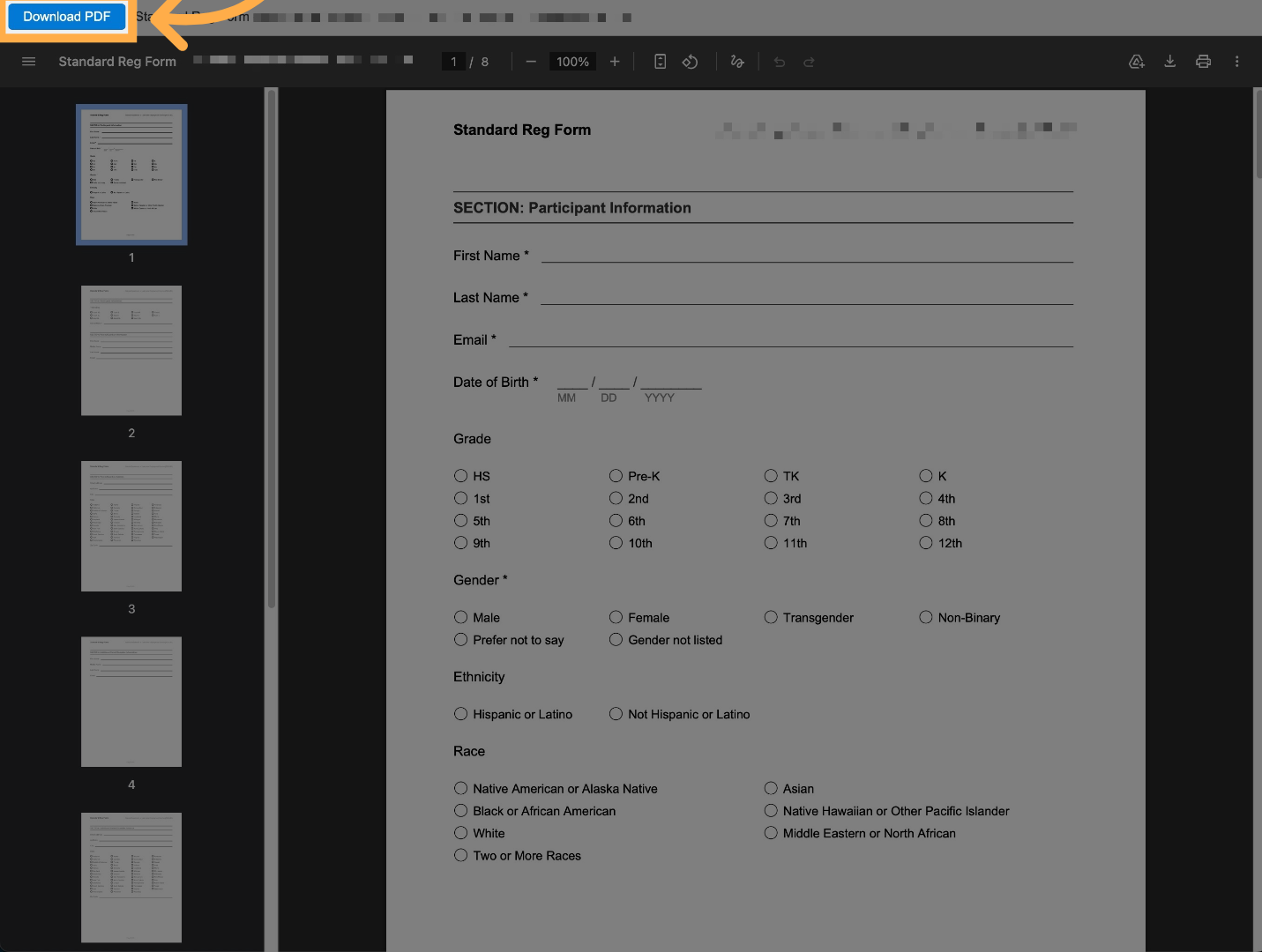
5. Download PDF
Once ready, click “Download PDF” to save your file.
Frequently Asked Questions
Q: Can I print any form in AfterSchool HQ?
Yes. You can print any registration form or survey available in your Forms section.
Q: Will printed forms automatically sync with my account?
No. Printed forms are for offline use. You will need to manually enter the information into AfterSchool HQ if you want it reflected in the system.
Q: Can I customize the layout of the printed form?
The system generates a standard PDF format. Custom layout options may be limited.
Q: Can I print multiple forms at once?
Forms are generated individually, but you can print multiple copies once the PDF is downloaded.
Q: What should I do after collecting paper forms?
We recommend entering the data into AfterSchool HQ so all registrations and records stay up to date.
Q: Can I use printed surveys for data collection?
Yes. You can print surveys and collect responses on paper, then manually input the data later if needed.
💡If you experience any issues or have further questions with “How to Print Registration Forms and Surveys for In-Person Use”, don't hesitate to get in touch with our support team at support@afterschoolhq.com.