![ASHQ Logo Vert Flat.png]](https://support.afterschoolhq.com/hs-fs/hubfs/ASHQ%20Logo%20Vert%20Flat.png?height=40&name=ASHQ%20Logo%20Vert%20Flat.png)
Ready to make your session activities live for families and participants?
This guide will walk you through how session publishing works in AfterSchool HQ, including important details about grouped publishing behavior and activity visibility.
Understanding Session Publishing
Session Publishing Works as a Group
In AfterSchool HQ, activities tied to the same session are generally published together as part of the overall session structure.
This means:
- Activities connected to the same session become visible together
- Publishing behavior is managed at the session level
- Individual unpublished activities may still be affected by overall session publishing workflows.
Understanding grouped publishing is important for:
- Staging activities before launch
- Coordinating registration rollouts
- Managing visibility timing
- Preventing activities from appearing earlier than expected
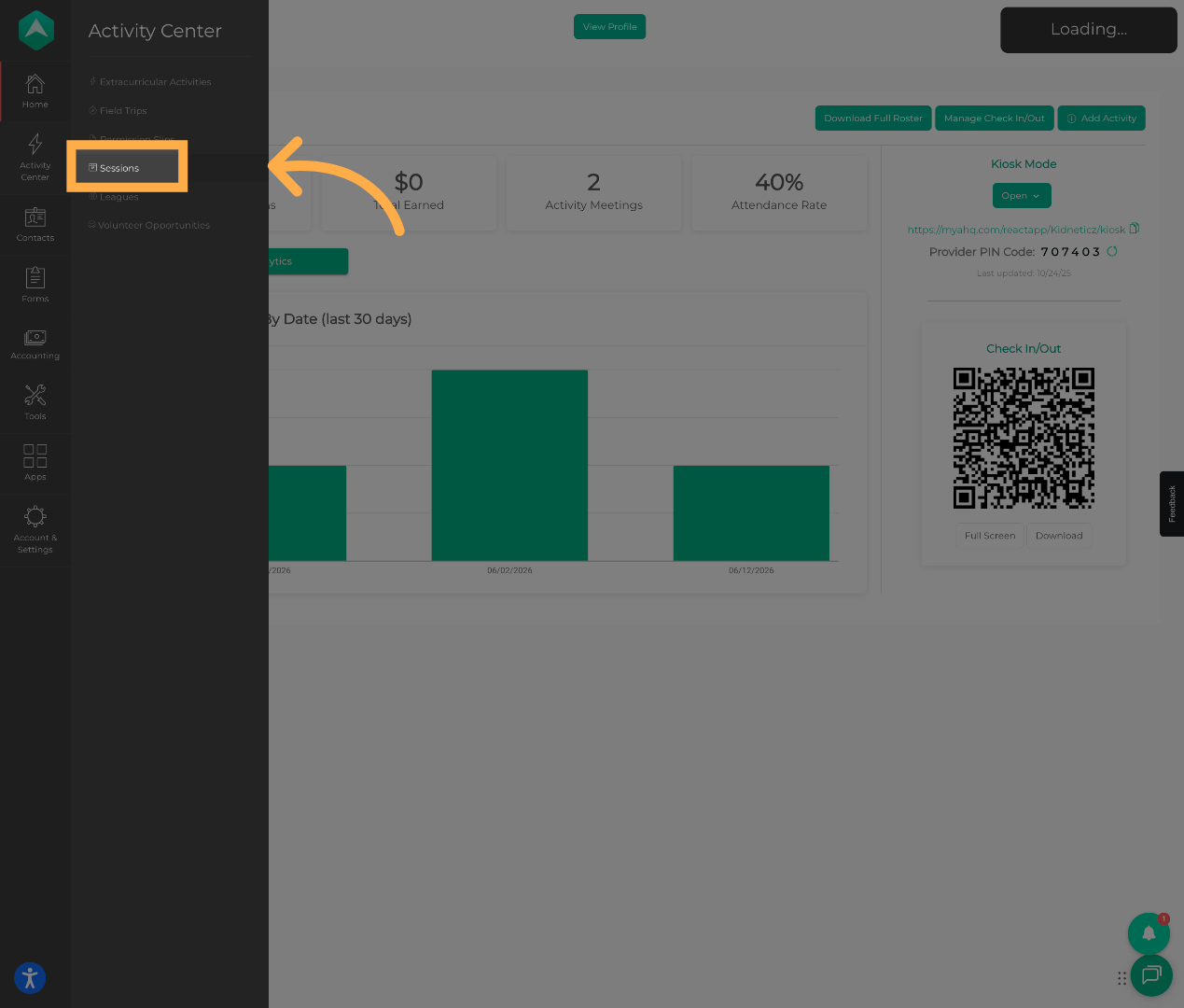
1. Navigate to Sessions
Open the Sessions area to view and manage your available sessions.
💡 Tip: Review all activities connected to the session before publishing to ensure they are fully configured and ready for registration.
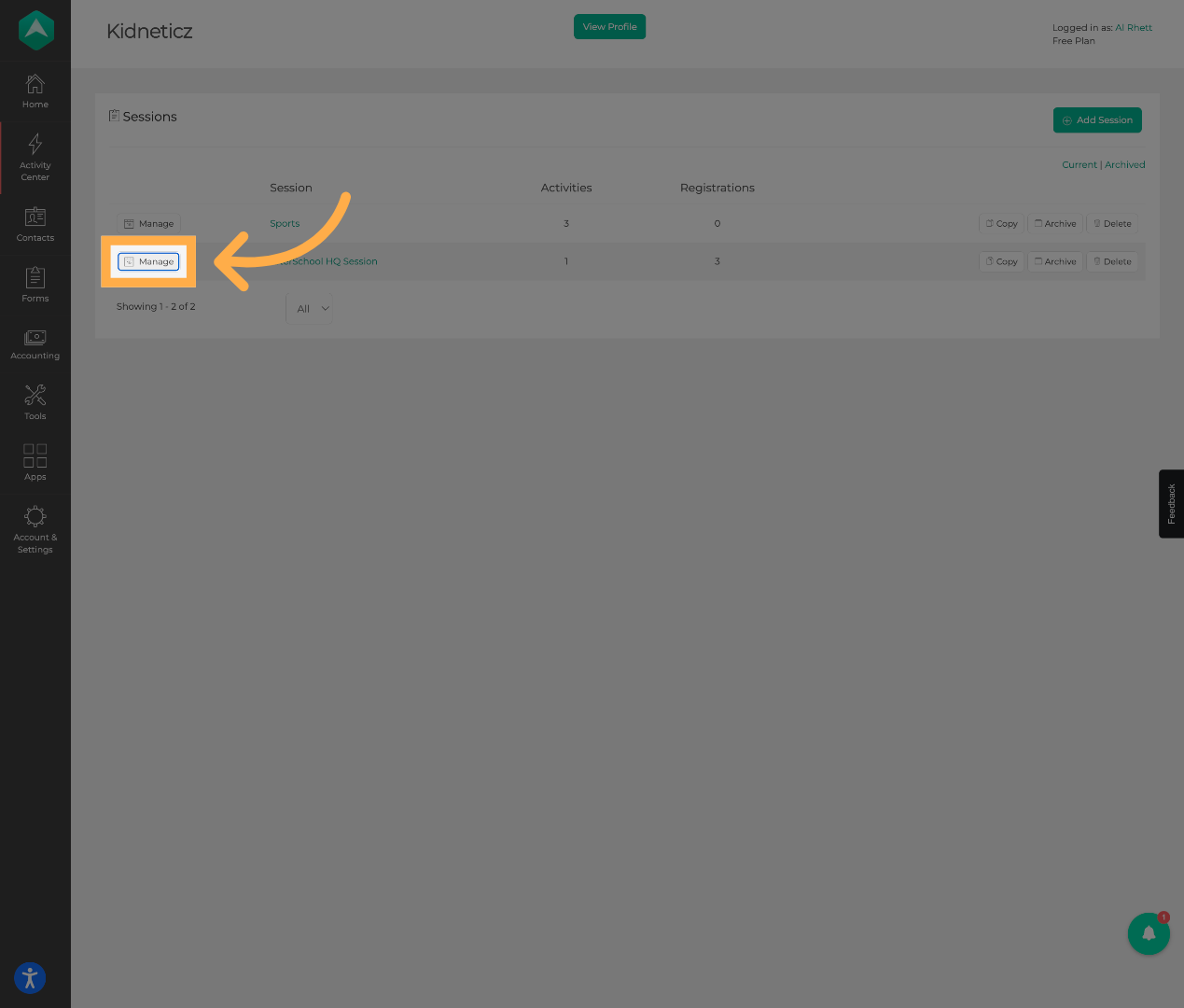
2. Open Manage Section
Click “Manage” to access the configuration and publishing settings for the selected session.
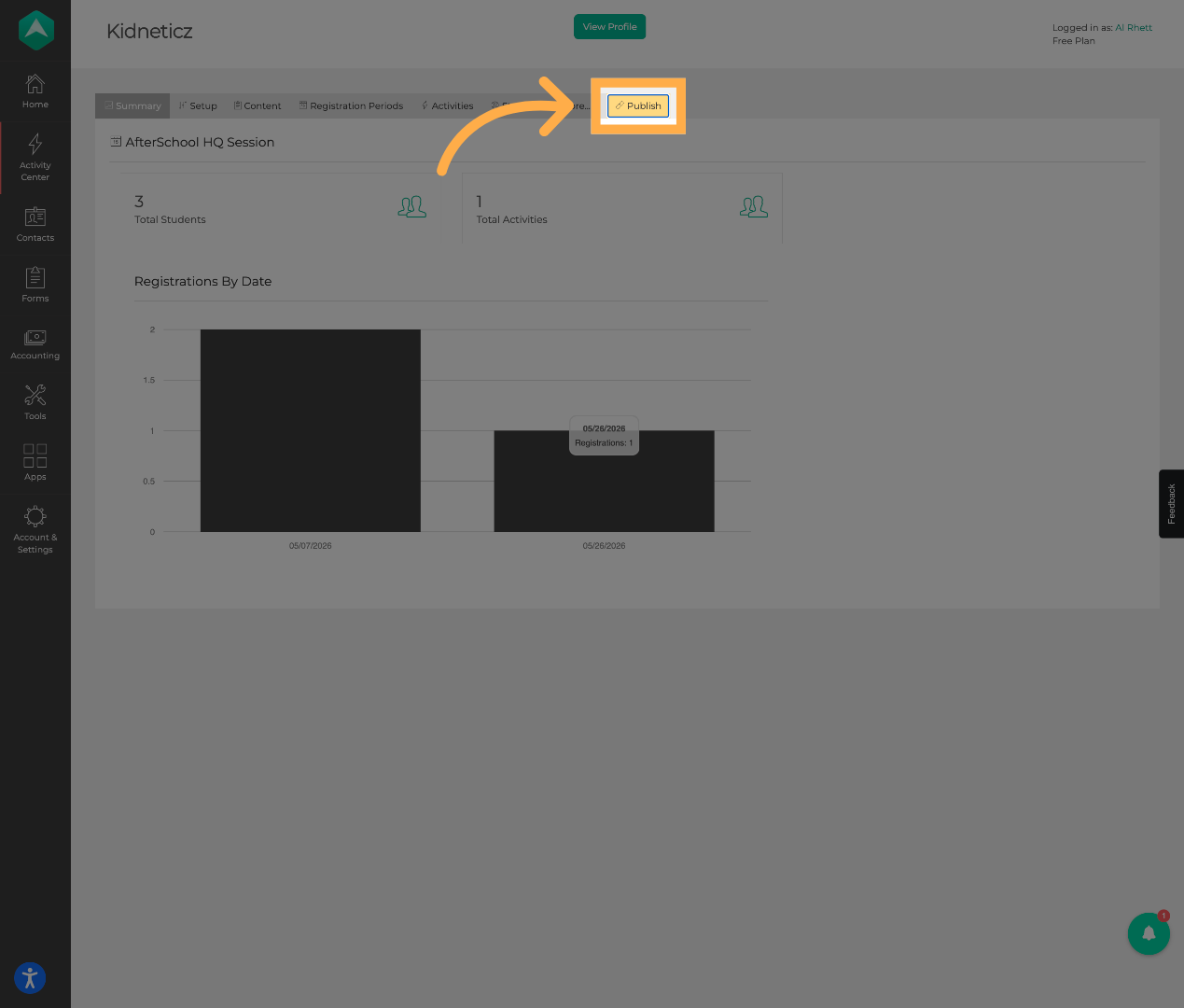
3. Publish Session
Click “Publish” to begin the process of making the session available for registration and participant visibility.
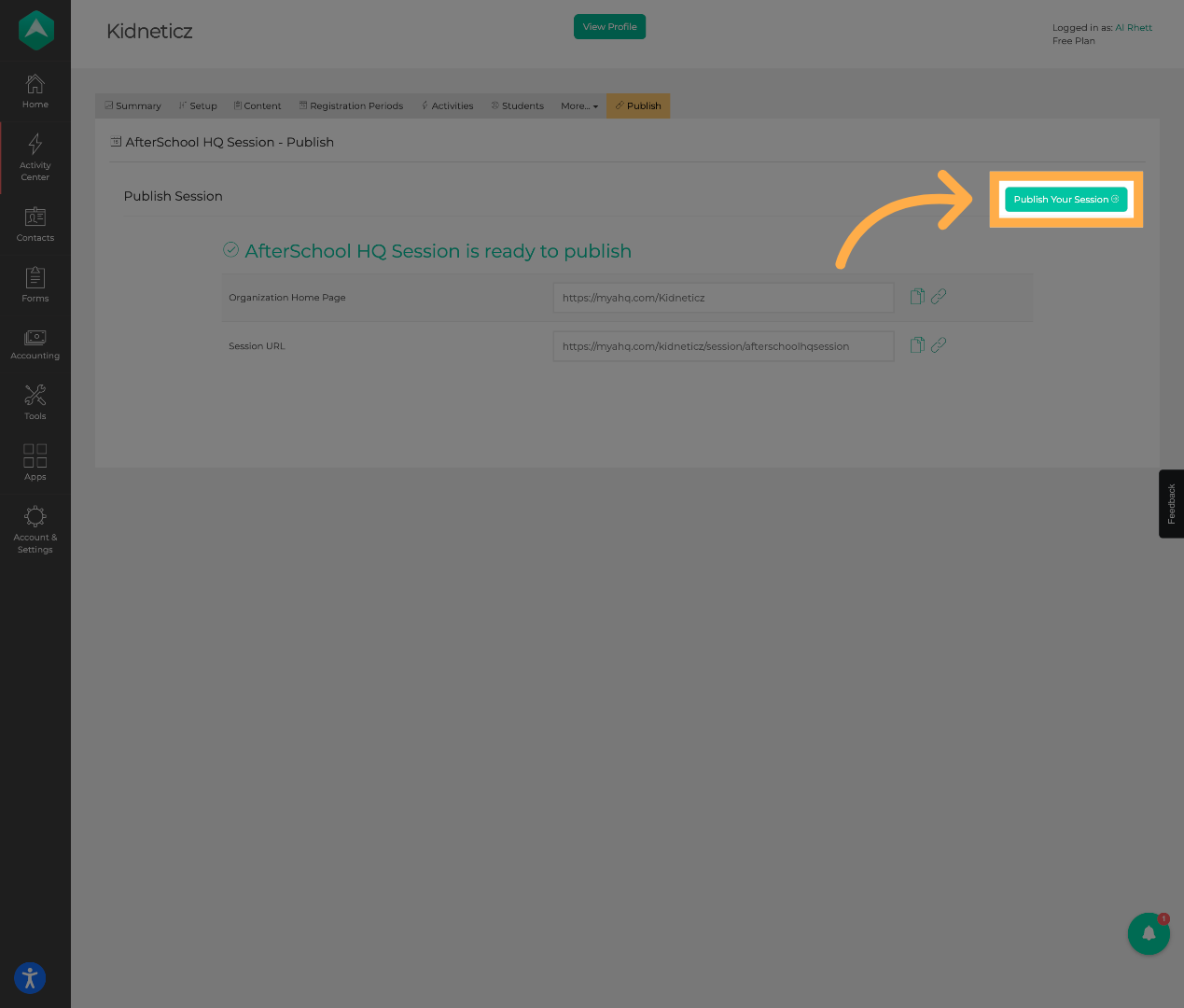
4. Confirm Session Publication
Click “Publish Your Session” to finalize and publish the session.
💡 Tip: After publishing, verify how the session and activities appear from the participant or provider landing page experience.
Frequently Asked Questions
Q: Does publishing one activity publish all activities?
A: Activities tied to the same session structure may publish together depending on the session configuration and organization setup.
Q: Can unpublished activities still appear?
A: In some cases, activities associated within a published session group may still become visible or accessible depending on how the session is configured.
Q: Should I review all activities before publishing?
A: Yes. Because publishing can affect grouped activities, it is recommended to review the full session before making it live.
Q: Can sessions be unpublished later?
A: Depending on permissions and setup, sessions or activities may typically be unpublished or hidden later if needed.
Q: Why is grouped publishing important?
A: Grouped publishing helps organizations manage coordinated registration launches and maintain consistent participant experiences across related activities.
💡If you experience any issues or have further questions with “How to Publish a Session”, don't hesitate to get in touch with our support team at support@afterschoolhq.com.