![ASHQ Logo Vert Flat.png]](https://support.afterschoolhq.com/hs-fs/hubfs/ASHQ%20Logo%20Vert%20Flat.png?height=40&name=ASHQ%20Logo%20Vert%20Flat.png)
If you’ve already paid for an activity and need to request a refund, you can submit the request directly from your AfterSchool HQ family account.
Refund requests are sent to the organization offering the activity for review.
❗Before You Begin
- Sign in to the AfterSchool HQ account used to register for the activity.
- Locate the activity associated with the payment.
- Keep in mind that submitting a request does not automatically guarantee or process a refund. The organization offering the activity will review the request.
💡 Tip: If you have questions about the organization’s refund policy, refund amount, or eligibility, you can contact the provider directly from your account.
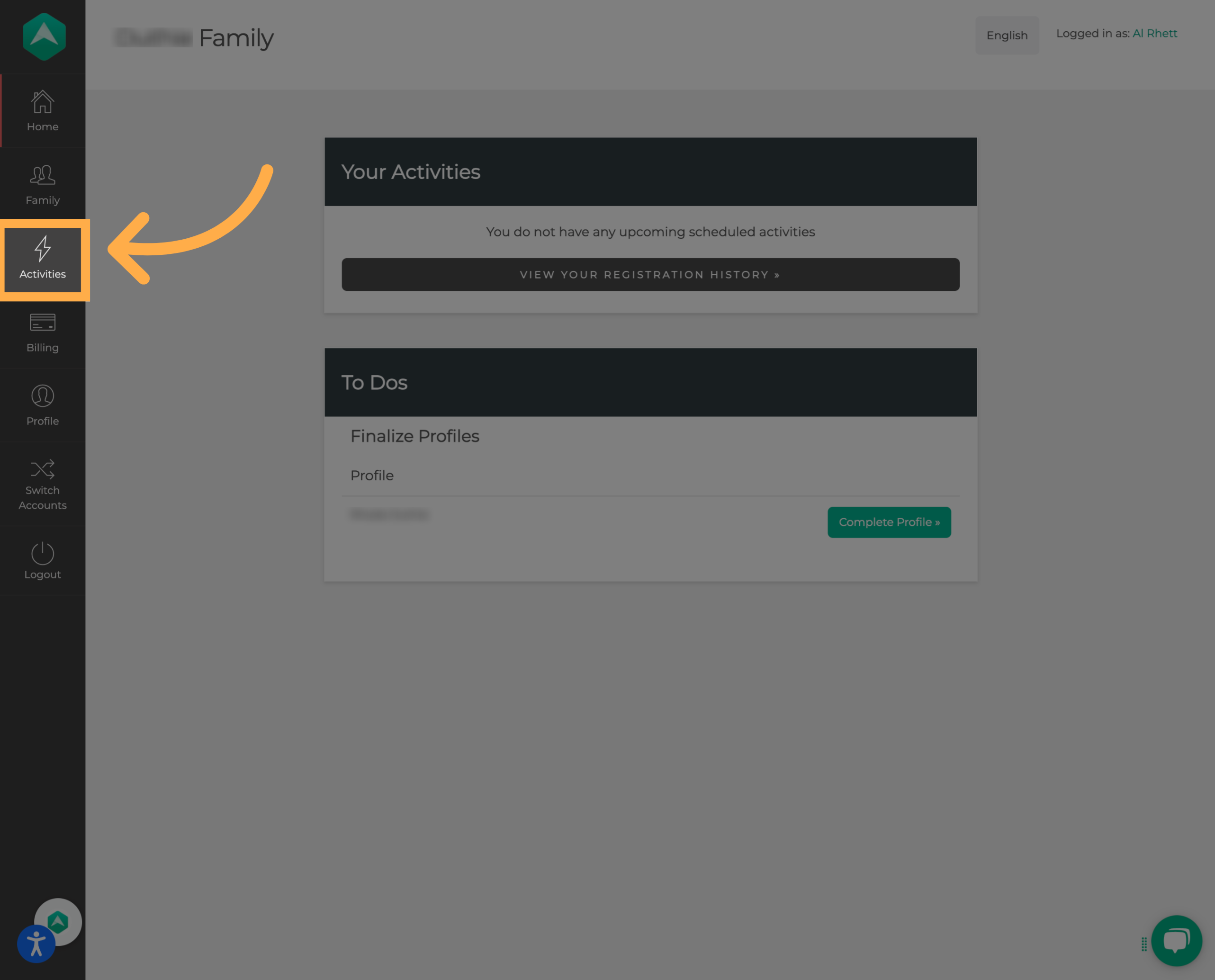
1. Open Your Activities
From your AfterSchool HQ account, open the “Activities” section to view the activities associated with your account.
2. Find the Activity
Locate the activity you’d like to request a refund for.
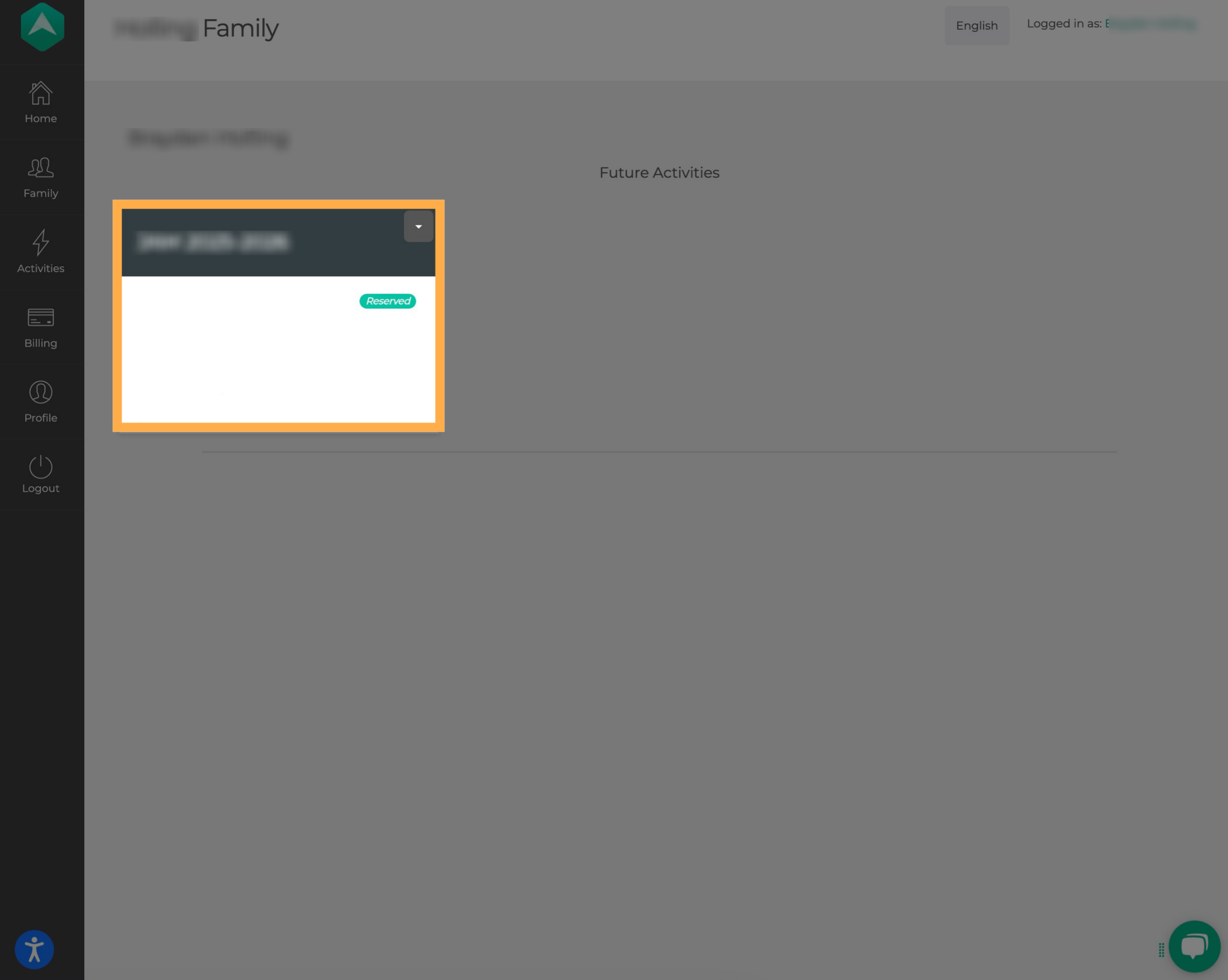
💡 Tip: Make sure you select the correct activity and participant before submitting your request, especially if your family has multiple registrations.
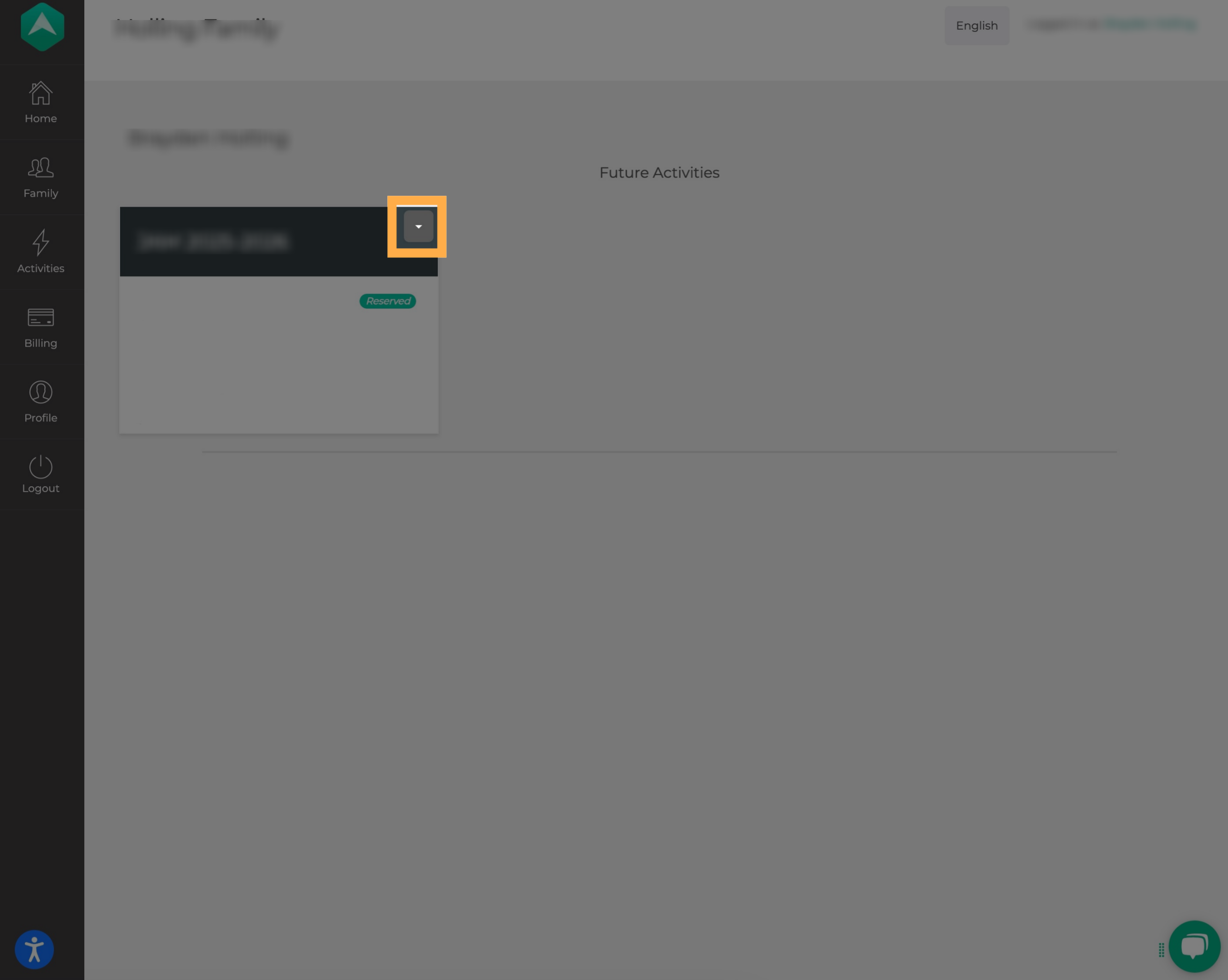
3. Open the Activity Options
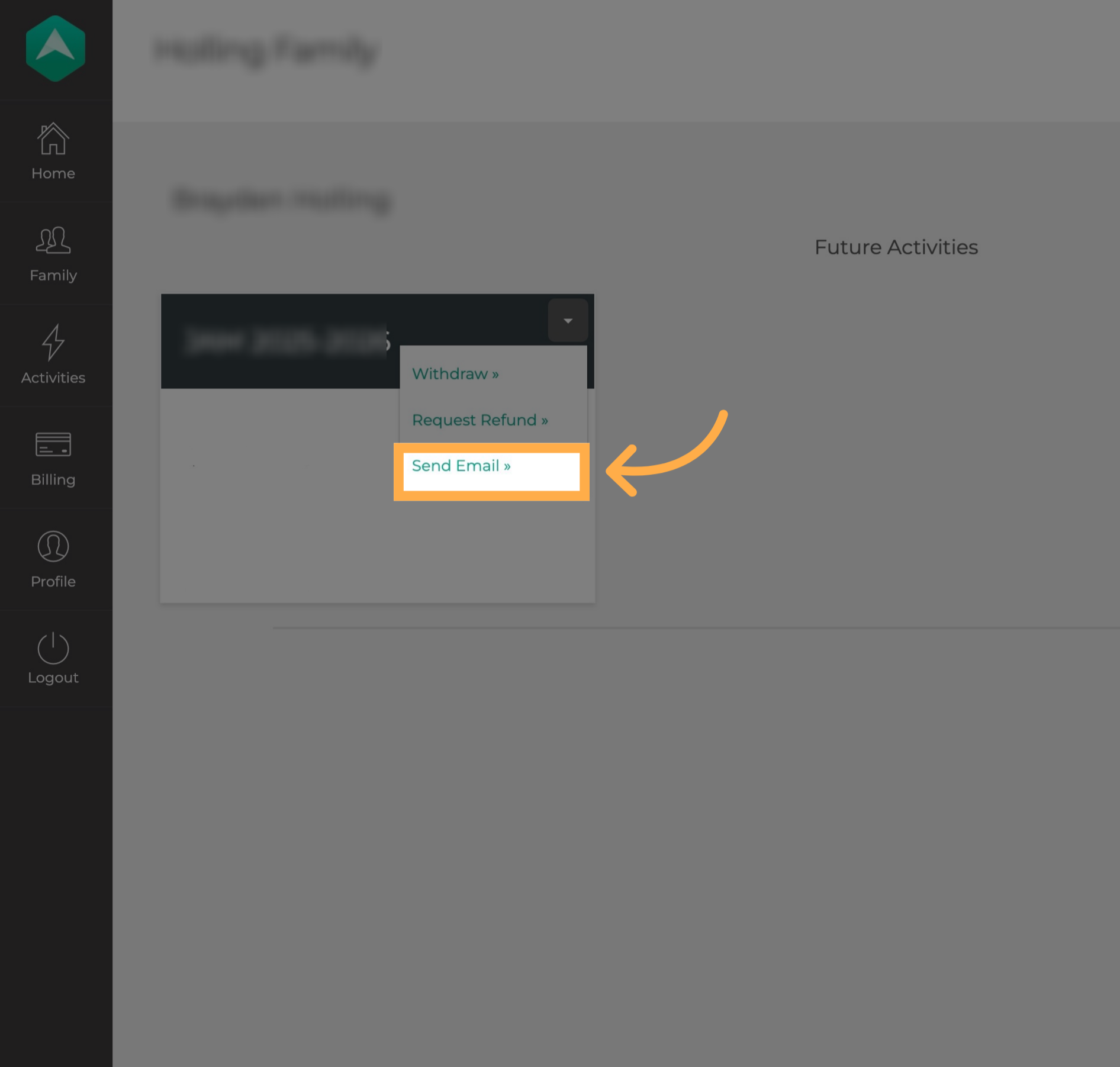
Select the down arrow next to the activity to display the available options.
4. Select Request Refund
Select “Request Refund” to submit a refund request to the organization offering the activity.
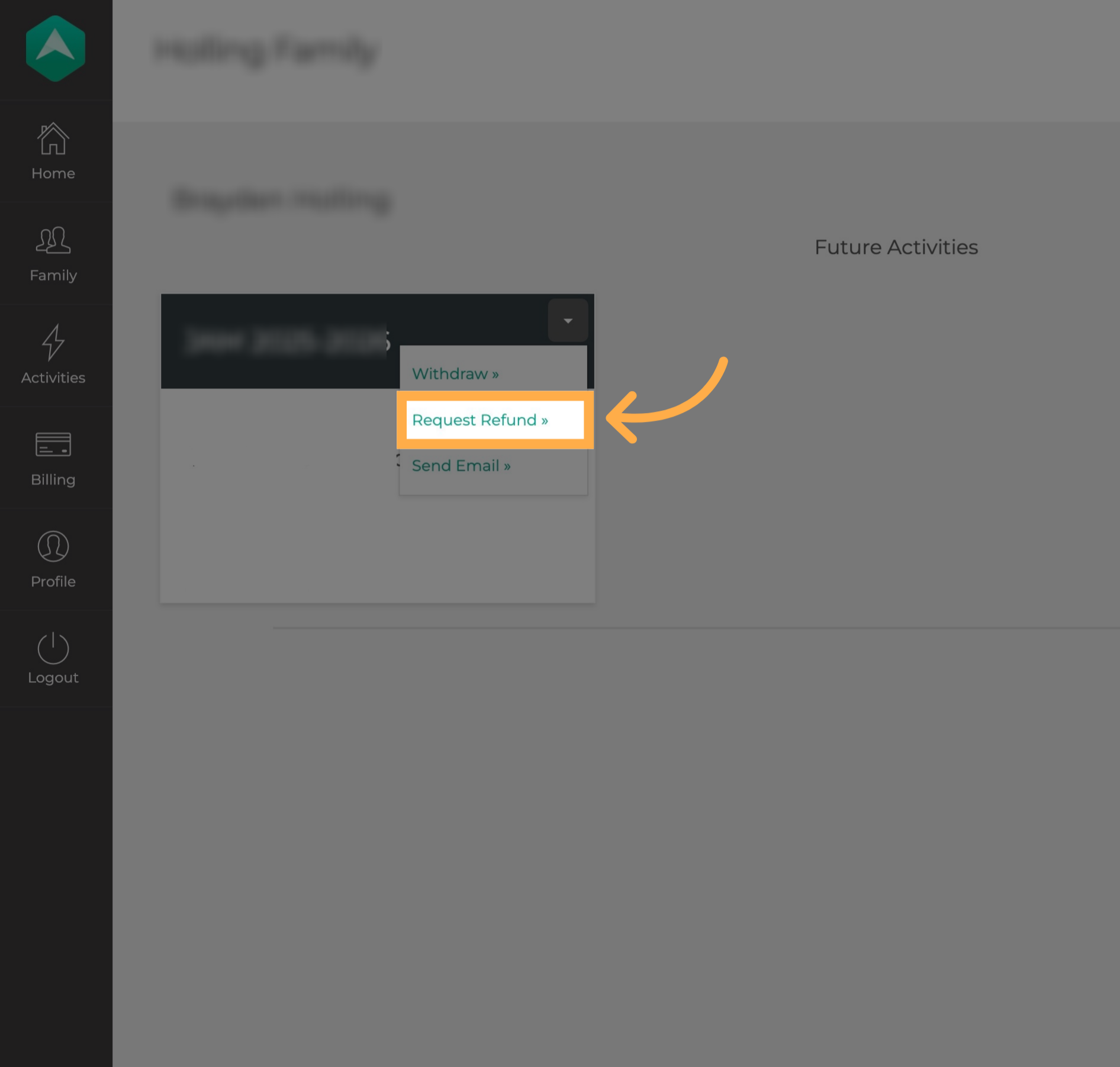
⚠️ Important: “Request Refund” sends a request to the organization. It does not mean the refund has automatically been approved or processed.
5. Contact the Provider if Needed
If you have questions about the payment or refund, you can also select “Send Email” from the activity options.
This allows you to contact the provider directly for additional information or assistance.
Frequently Asked Questions
Q: Does selecting Request Refund automatically refund my payment?
A: No. “Request Refund” submits a request to the organization offering the activity. The provider will need to review the request.
Q: Who decides whether my refund is approved?
A: The organization offering the activity is responsible for reviewing your refund request and determining whether it can be approved.
Q: Where can I find the Request Refund option?
A: Open “Activities”, locate the applicable activity, and select the down arrow to view the available options.
Q: Why don’t I see the Request Refund option?
A: Refund options may depend on the activity and its available settings. If “Request Refund” is not available, use “Send Email” to contact the provider directly for assistance.
Q: Can I contact the organization about my refund?
A: Yes. Select “Send Email” from the activity options to contact the provider directly with questions about your payment or refund request.
Q: Can AfterSchool HQ tell me whether I qualify for a refund?
A: Refund policies are determined by the organization offering the activity. Contact the provider directly if you have questions about refund eligibility, amounts, or policies.
Q: What should I do if I submitted a refund request but haven’t received an update?
A: Use the “Send Email” option to follow up directly with the organization about the status of your request.
💡If you experience any issues or have further questions with “How to Request a Refund”, don't hesitate to get in touch with our support team at support@afterschoolhq.com.