![ASHQ Logo Vert Flat.png]](https://support.afterschoolhq.com/hs-fs/hubfs/ASHQ%20Logo%20Vert%20Flat.png?height=40&name=ASHQ%20Logo%20Vert%20Flat.png)
1. Access the Activity
Open the original activity link provided to you and click “Register.”
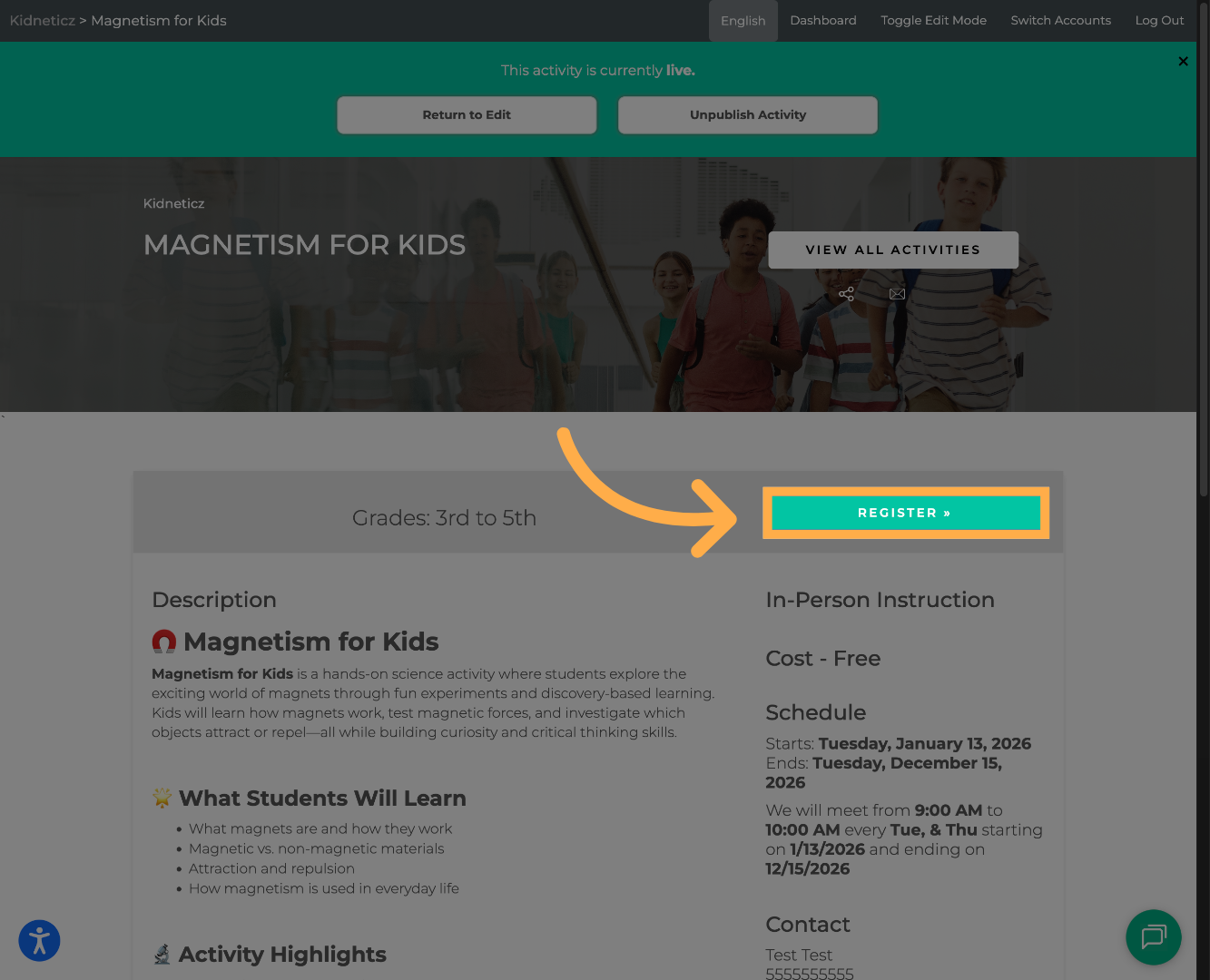
💡Tip: Avoid switching devices/browsers. This can sometimes affect access to your saved session
2. Resume Your Registration
Click “Resume”, then continue completing your registration from where you left off.
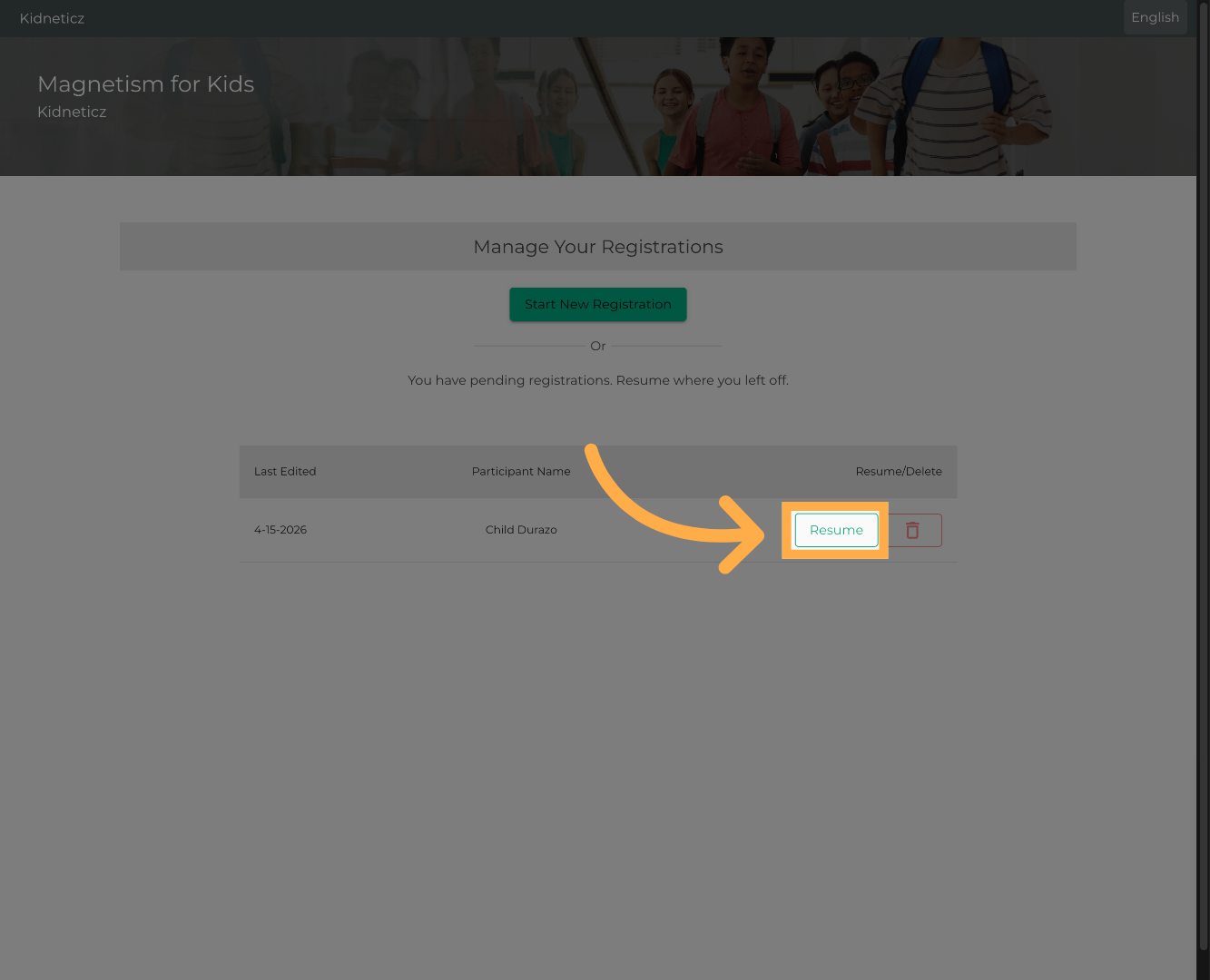
Your previously entered information will be saved and available for review.
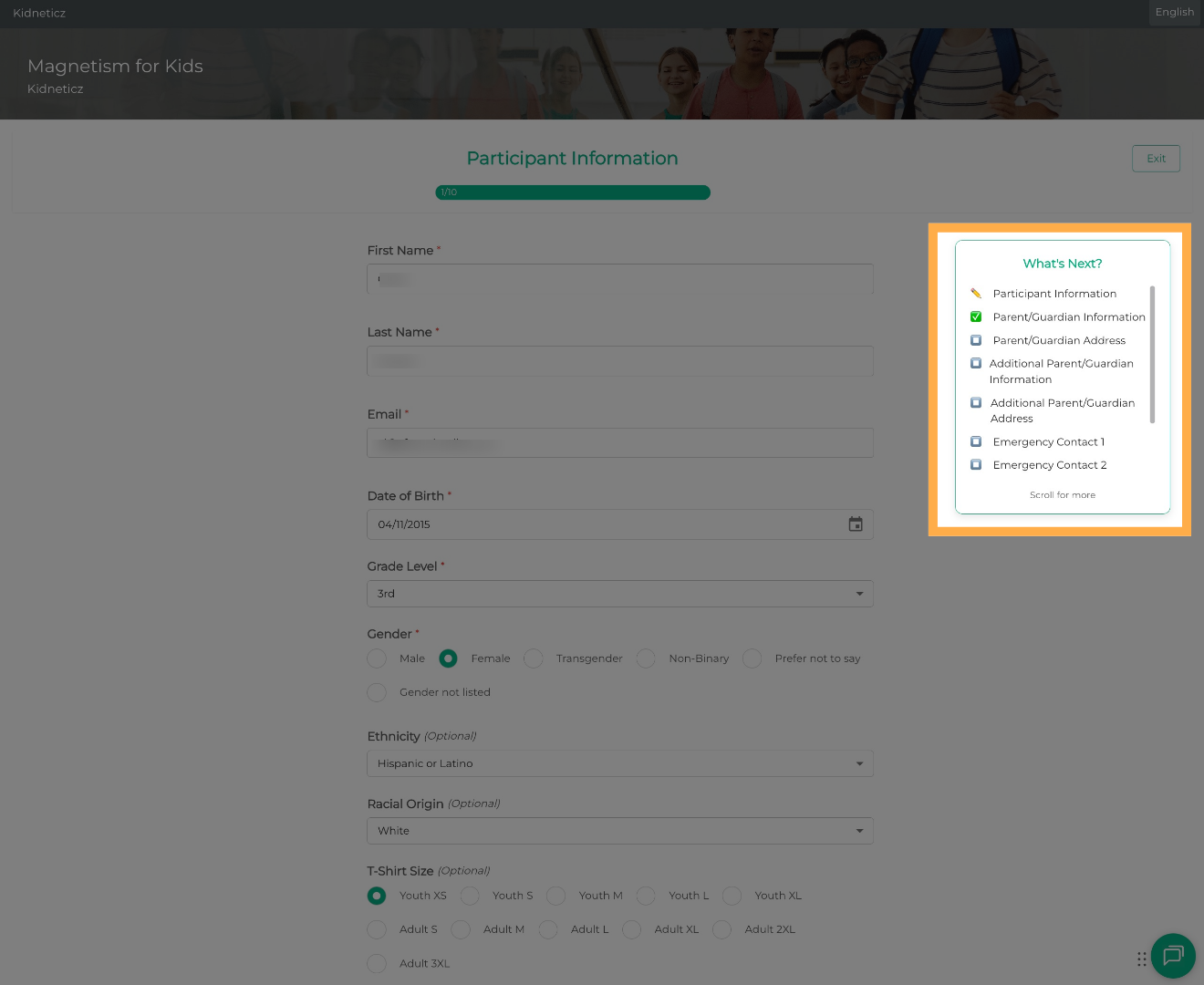
💡Tip: Check your saved progress. Review previously entered information before continuing.
Frequently Asked Questions
Q: Will I lose my progress?
A: No, as long as your session was saved, your information will still be available when you click “Resume.”
Q: Can I edit my information when I resume?
A: Yes, you can review and update your information before completing your registration.
Q: When is my registration complete?
A: Your registration is complete once all required steps are finished and you receive confirmation or access to your dashboard.
💡If you experience any issues or have further questions with “How to Resume Your Registration”, don't hesitate to get in touch with our support team at support@afterschoolhq.com.