![ASHQ Logo Vert Flat.png]](https://support.afterschoolhq.com/hs-fs/hubfs/ASHQ%20Logo%20Vert%20Flat.png?height=40&name=ASHQ%20Logo%20Vert%20Flat.png)
Need to check a payment, review your transaction history, or see details about your current payment plan?
The Billing section of your AfterSchool HQ account gives you one place to review your payment and plan information.
1. Open the Billing Tab
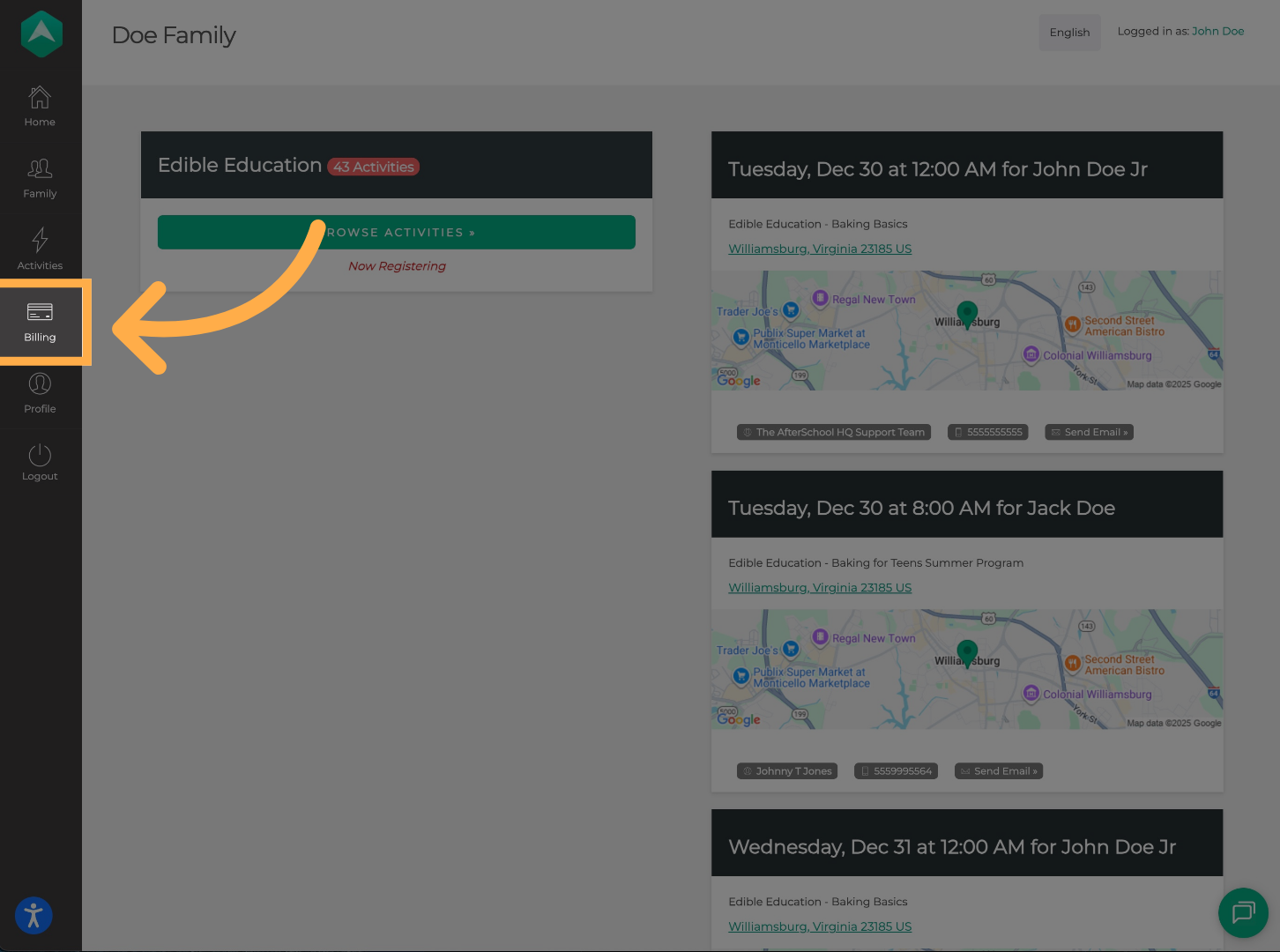
From your AfterSchool HQ dashboard, select “Billing” from the menu on the left side of the page.
This will open your billing information and payment history.
2. Review Transactions and Plans
The “Transactions” tab displays your payment history so you can review payments associated with your account.
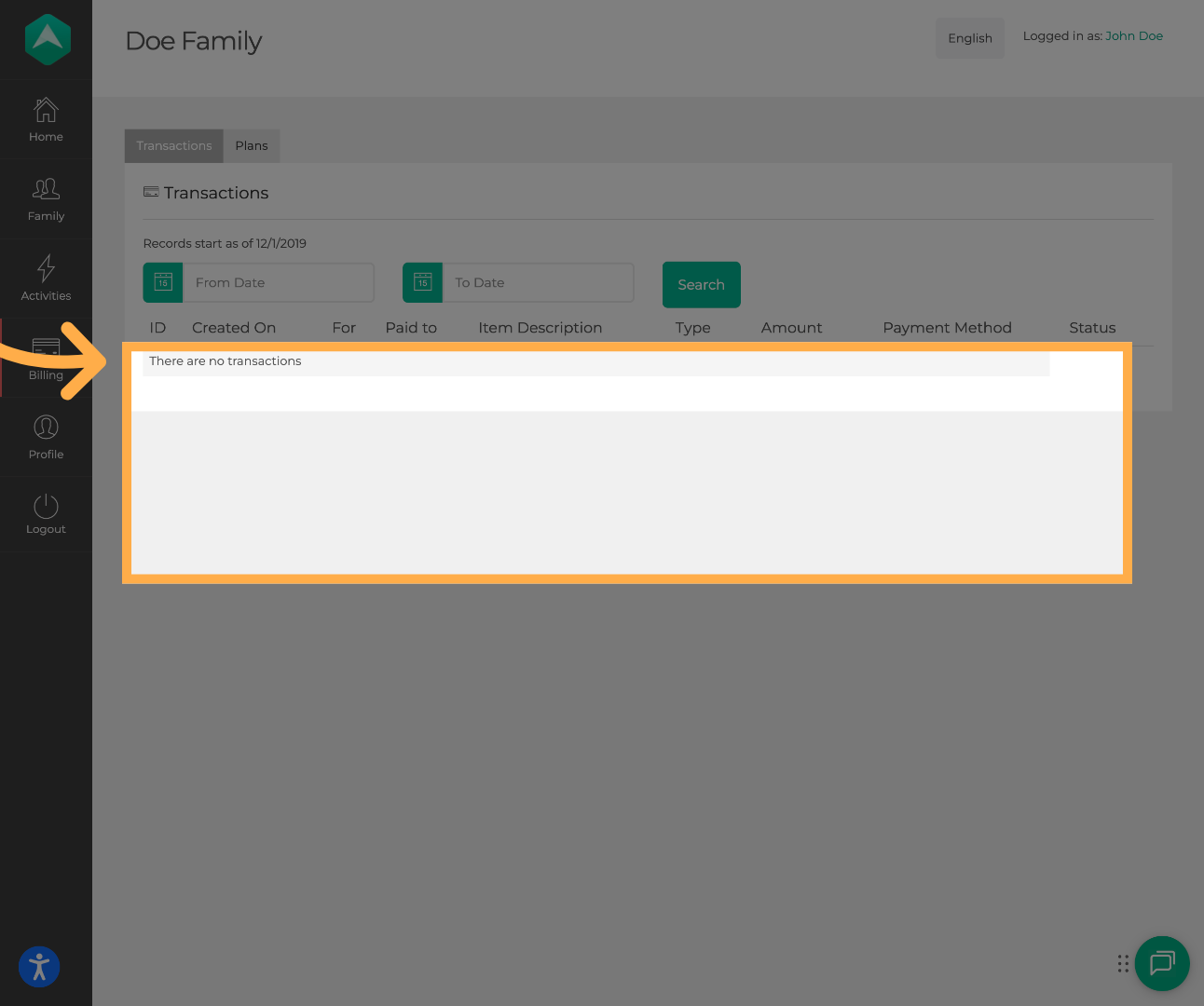
💡 Tip: You can also filter your payments by date to quickly find what you need.
3. Review Your Payment Plans
Select the “Plans” tab to review the payment plans associated with your registrations.
You can view information such as the:
- Program associated with the plan
- Participant connected to the plan
- Payment start date
- Number of payments completed
- Number of payments remaining
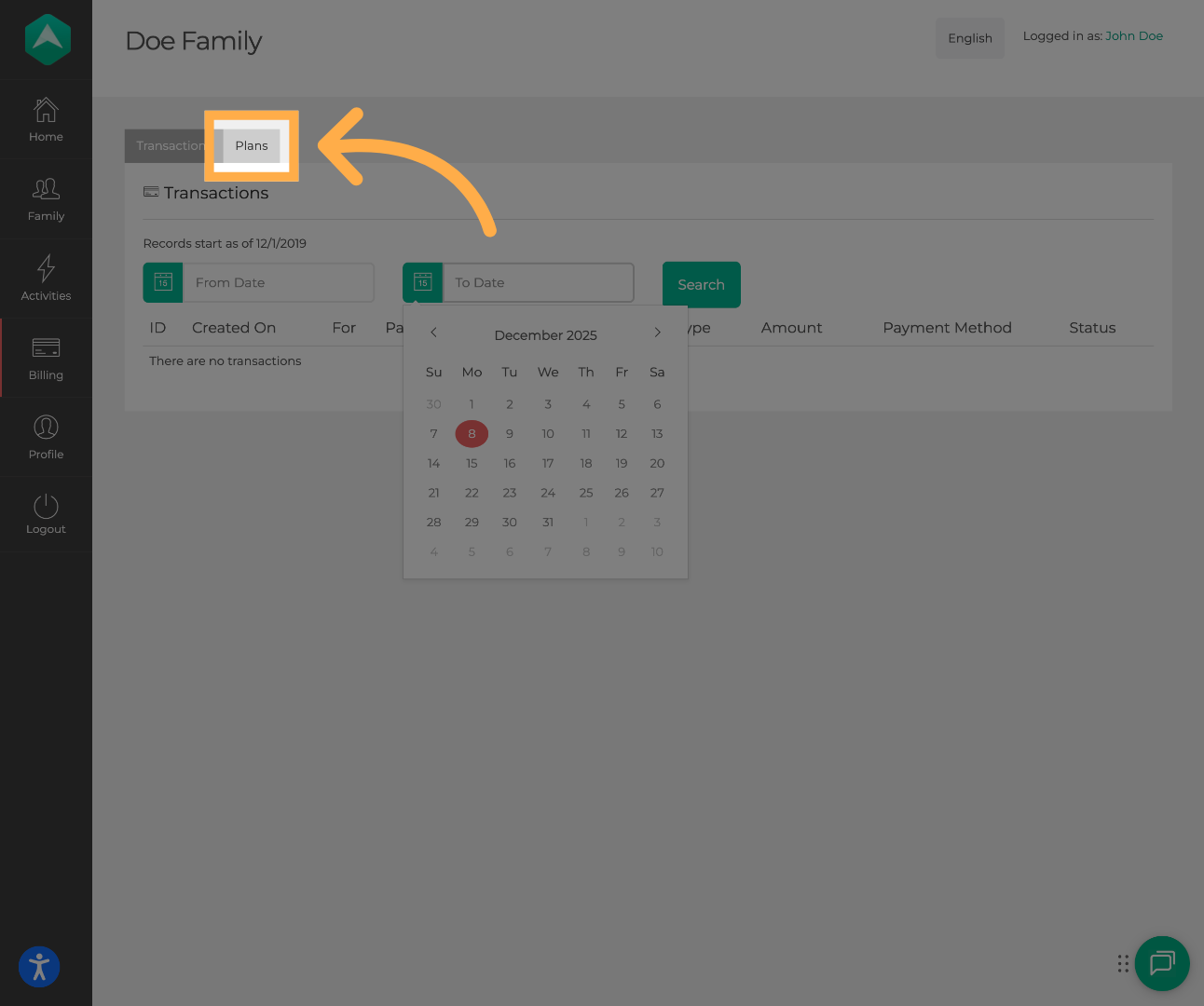
💡 Tip: Review your Plans tab regularly to stay up to date on your billing status and avoid missed payments.
Frequently Asked Questions
Q: What's the difference between Transactions and Plans?
A: “Transactions” shows your payment history, while “Plans” shows information about payment plans associated with your registrations, including payment progress and remaining payments.
Q: Where can I see my previous payments?
A: Open “Billing” and select the “Transactions” tab to review your payment history.
Q: Can I filter my transactions by date?
A: Yes. Use the available date filters in the Transactions section to narrow the payments displayed.
Q: Where can I see how many payments I have left?
A: Open the “Plans” tab. Your plan details show how many payments have been completed and how many remain.
Q: What does “Plans” mean?
A: A plan represents the payment arrangement associated with a registration or program. The “Plans” tab allows you to review information about that arrangement and its payment progress.
Q: What should I do if I have a question about the amount I'm being charged?
A: Contact the organization offering the program if you have questions about the program's pricing, fees, or payment arrangement. For technical issues accessing your billing information in AfterSchool HQ, contact the AfterSchool HQ Support Team.
Q: Can I download or print my payment history?
A: There is currently no built-in option to download or print the transaction history directly from this page. If you need a copy for your records, you can save the information using your device's available options.
💡If you have any questions or experience any technical difficulties with “How to View Your Billing and Payment Details”, don't hesitate to get in touch with our support team at support@afterschoolhq.com.