![ASHQ Logo Vert Flat.png]](https://support.afterschoolhq.com/hs-fs/hubfs/ASHQ%20Logo%20Vert%20Flat.png?height=40&name=ASHQ%20Logo%20Vert%20Flat.png)
If you or your participant can no longer attend an activity, you may have the option to withdraw directly from your AfterSchool HQ account.
Withdrawing removes the participant from the activity while keeping the registration record available for reference.
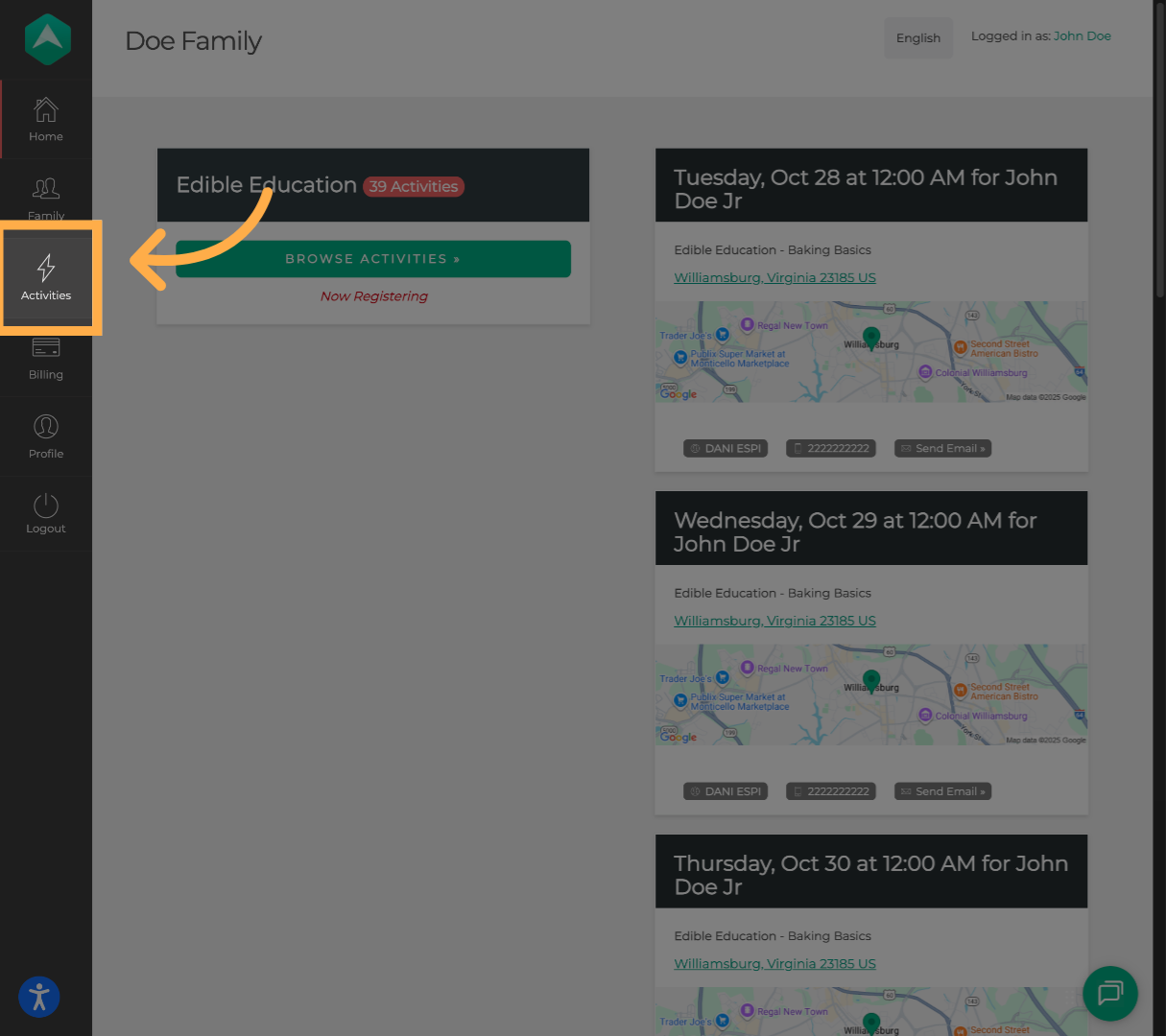
1. Click the “Activities” tab.
Click “Activities” to view the list of activities your child is enrolled in.
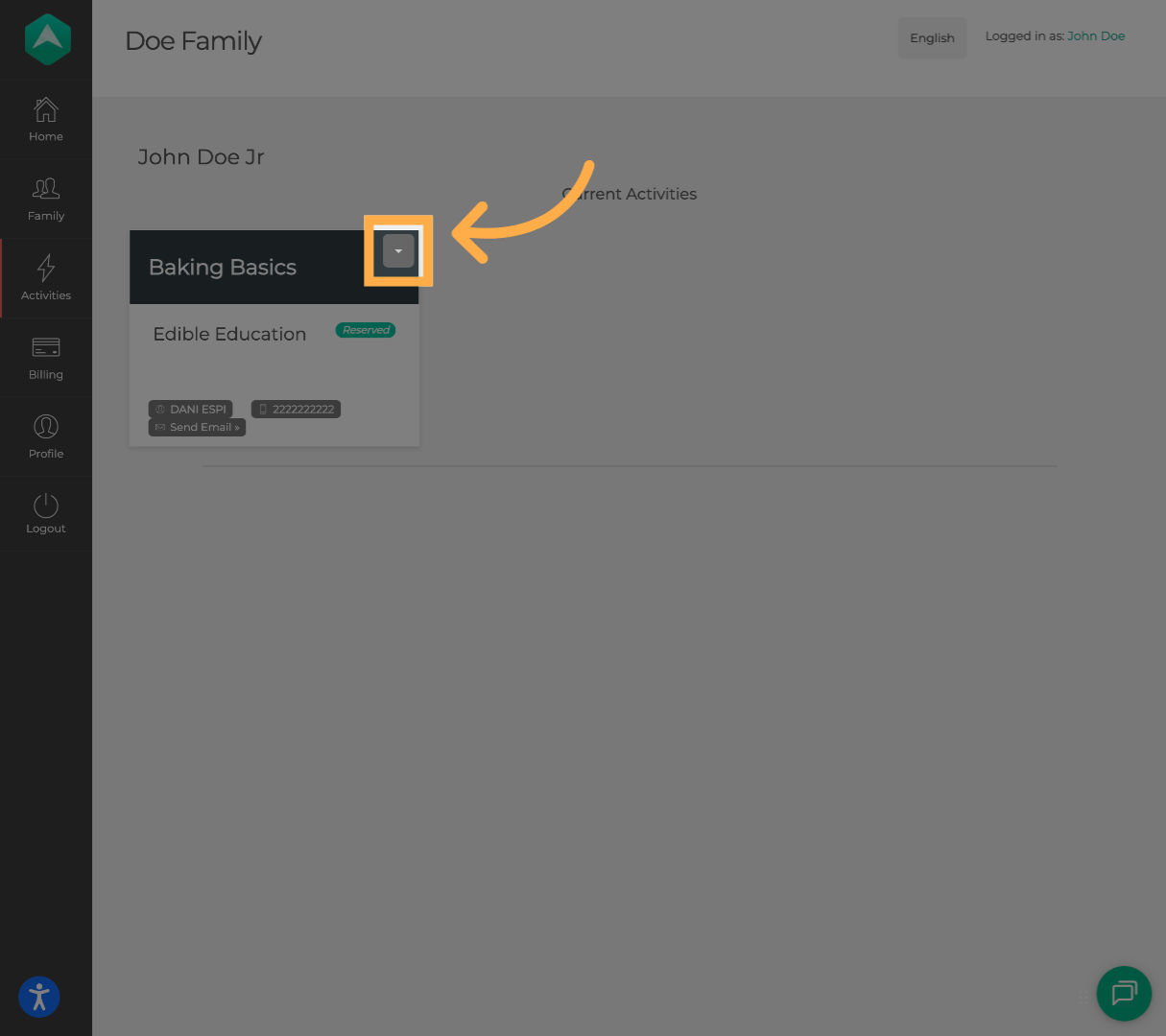
2. Select the Activity Options.
Find the activity you want, then click the down arrow to open the dropdown menu.
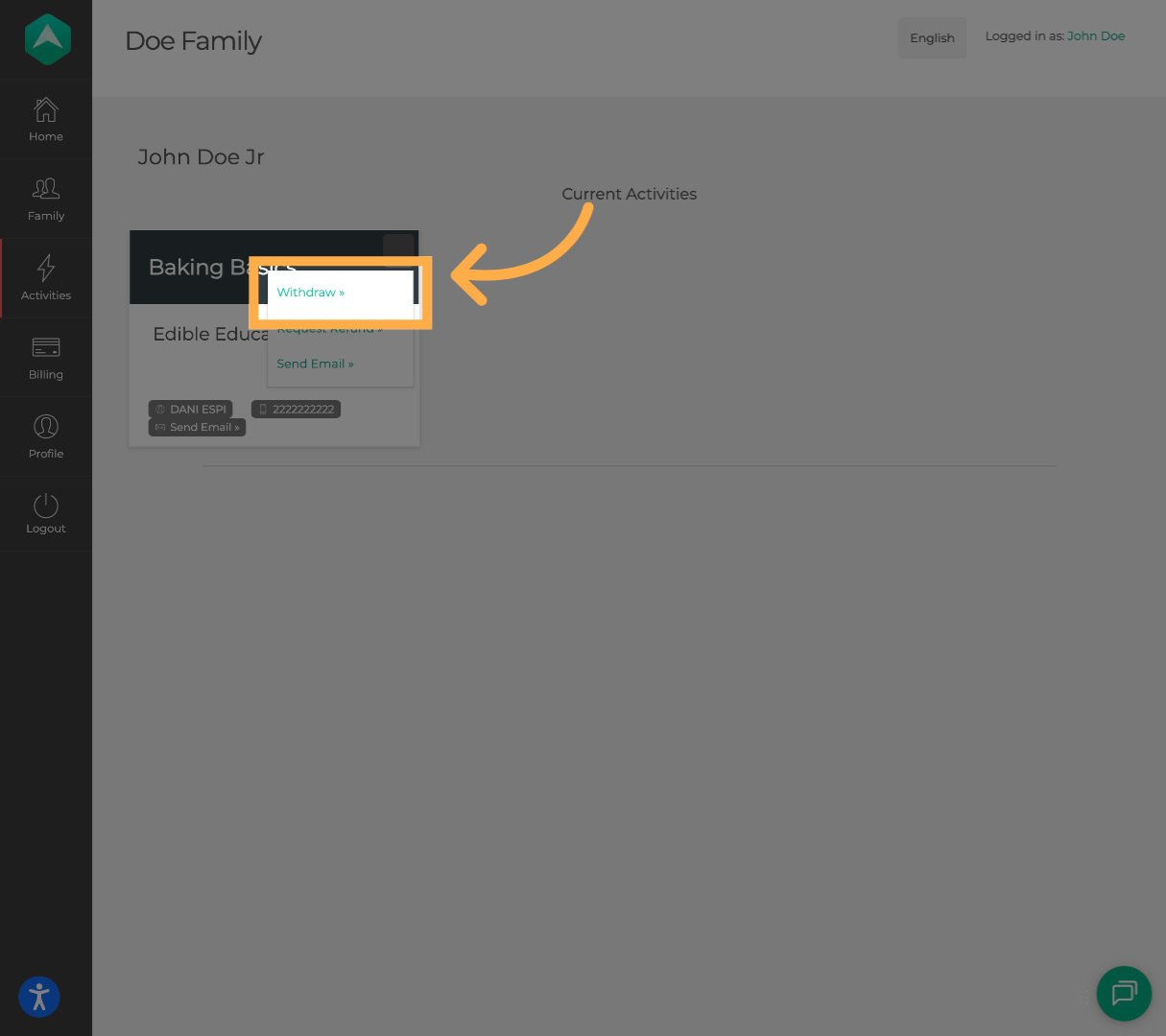
3. Initiate the Withdrawal Process.
From the dropdown menu, click “Withdraw.”
💡Tip: If you have multiple children, you’ll need to complete the registration or withdrawal steps for each child individually.
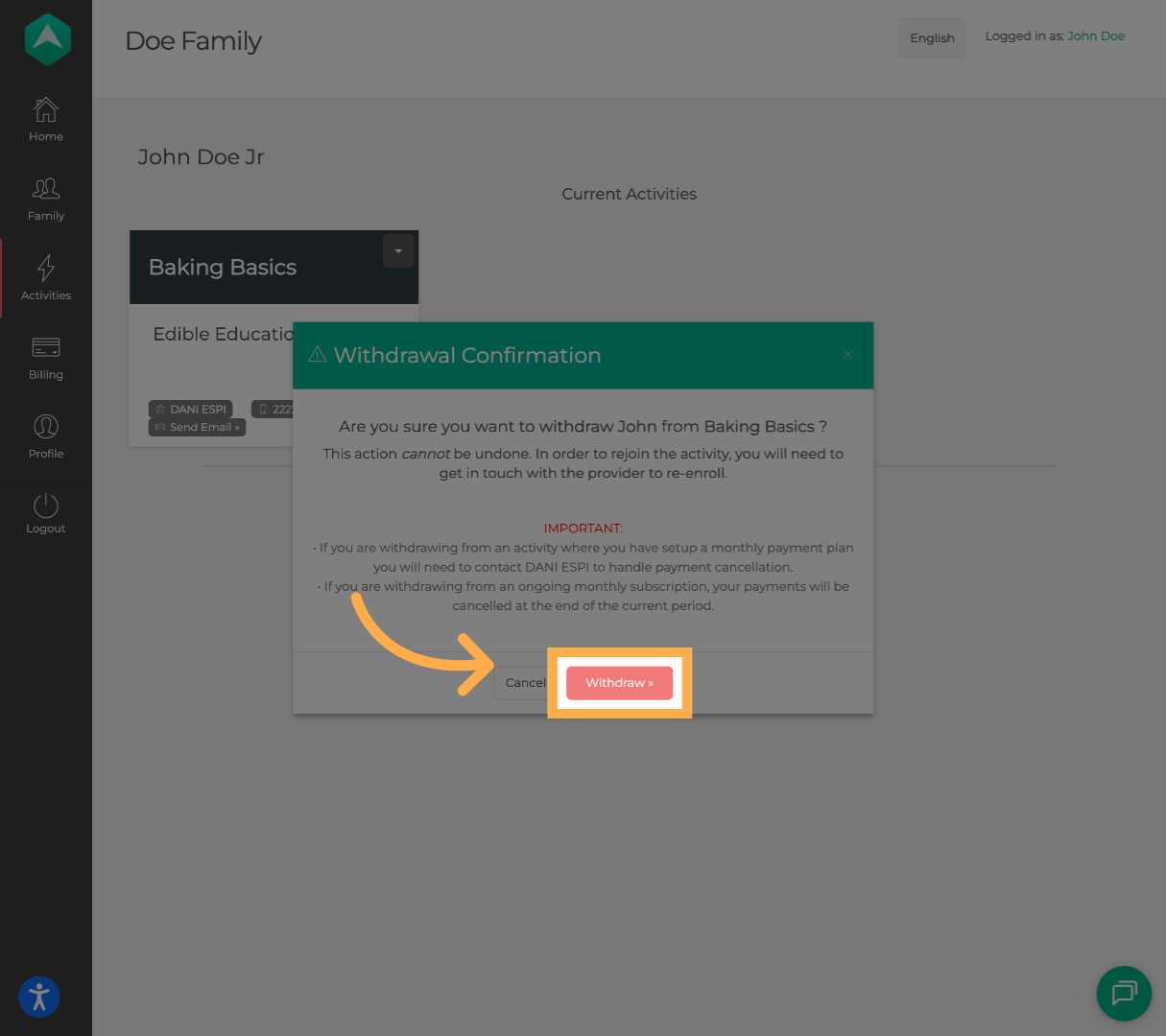
4. Confirm Withdrawal.
Click “Withdraw” again to confirm and complete the withdrawal from the activity.
You’ll receive a confirmation email from noreply@afterschoolhq.com once your withdrawal has been successfully submitted.
💡Tip: Check your Spam or Promotions folder if you don’t receive an email confirmation within a few minutes.
Frequently Asked Questions
Q: Can I re-enroll my child?
A: Absolutely! If you already have an account, you can re-enroll your child by visiting the organization’s profile page and selecting the activity again.
If you need help finding the right activity, reach out to the organization directly by clicking the “Send Message” option in the activity dropdown menu.
Q: What happens after I withdraw my child?
A: You’ll receive a confirmation email from noreply@afterschoolhq.com once your withdrawal is complete. If you don’t see it within a few minutes, be sure to check your spam or promotions folder.
💡If you experience any issues or have further questions with “How to Withdraw Your Child from an Activity”, don't hesitate to get in touch with our support team at support@afterschoolhq.com.